
Finding winning products often starts with understanding what’s already working in the market.
Ads Library in Zopi helps you explore real ads from active online stores so you can see exactly what other sellers are promoting — right now.
Instead of guessing or blindly testing products, Ads Library lets you learn directly from live advertising data and build smarter product and ad strategies.
What is Ads Library?
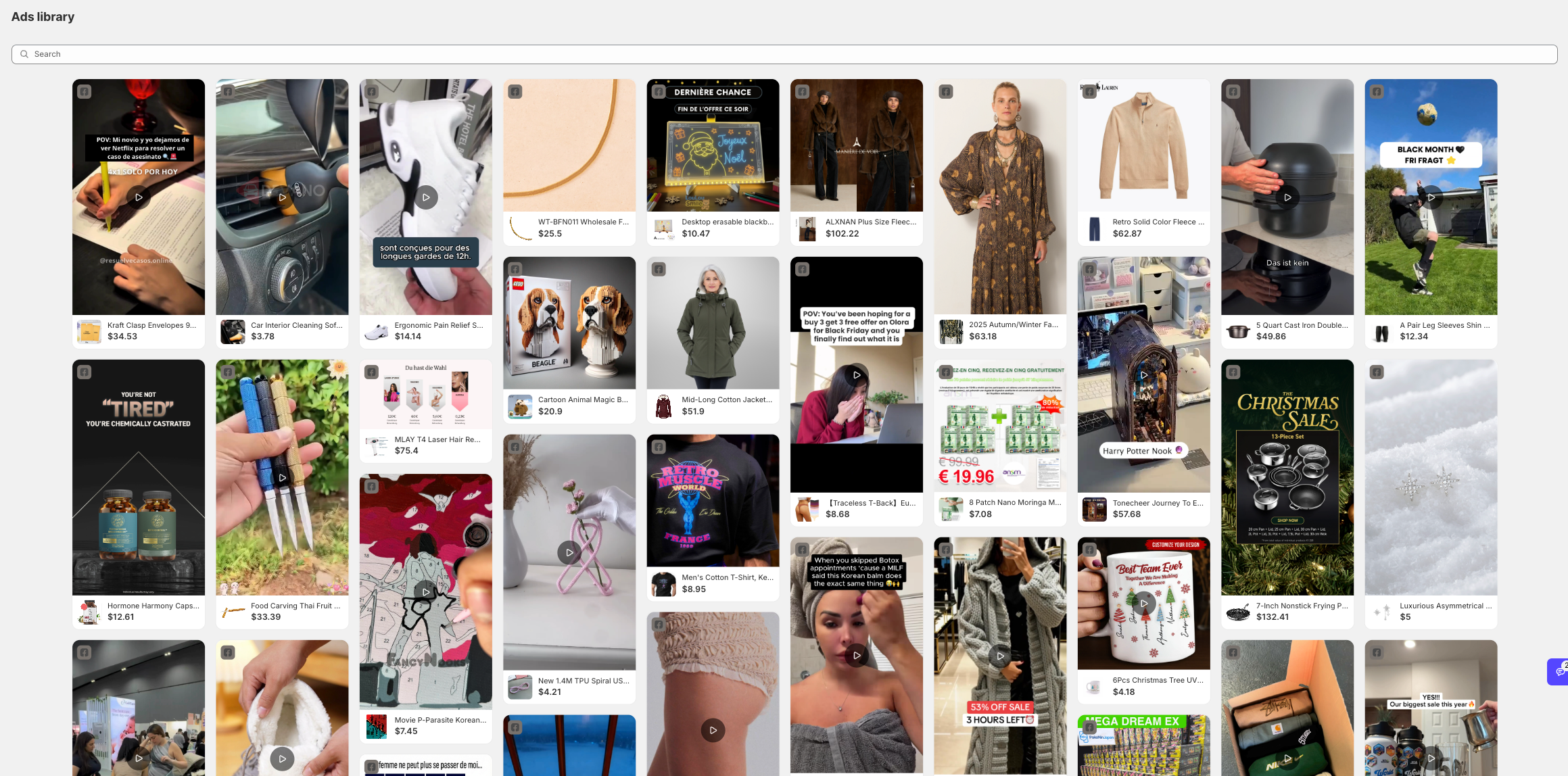
Ads Library in Zopi lets you explore real ads from active online stores across multiple platforms. Instead of guessing what might sell, you can see what sellers are actually running ads for right now.
This feature helps you validate product ideas faster by learning directly from live advertising data.
What You Can Do with Ads Library
With Ads Library, you can:
-
Discover products that are actively being advertised
-
See how sellers position, price, and present their products
-
Learn which ad formats and creatives are currently working
-
Avoid blind testing and reduce failed ad spend
How to Use Ads Library in Zopi
To start exploring ads:
-
Go to Product Research → Ads Library
-
Browse or search for products by niche or keyword
-
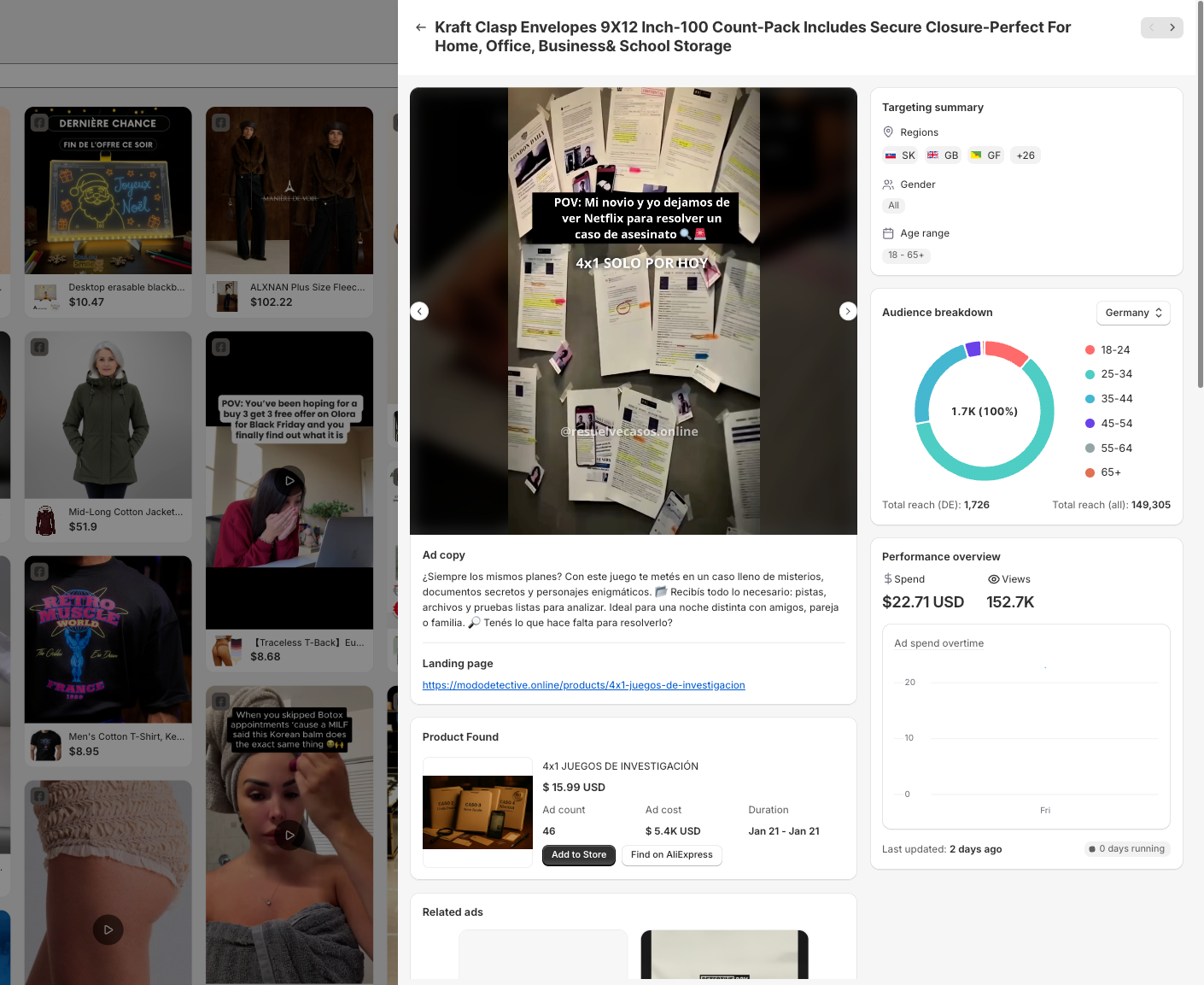
Click on any ad to open Ad Detail
How to Read Ad Detail
Inside an ad detail view, you can quickly understand:
-
Ad performance (views, engagement, spend)
-
Targeting data (regions, age range, gender)
-
Landing page link used by the advertiser
-
Product source and similar ads
👉 Use this data to decide whether a product is worth testing — or to improve your own ad creatives.