
Zopi AI Assistant helps you manage your dropshipping operations faster using AI-powered assistance.
You can use it to:
- Find winning products
- Research trends and niches
- Manage products
- Review orders
- Detect operational issues
- Get quick guidance inside Zopi
👉 Instead of manually navigating through multiple pages, you can simply ask the AI Assistant for help.
What Is Zopi AI Assistant?
Zopi AI Assistant is your built-in AI support and operations assistant inside Zopi.
It is designed to help simplify daily dropshipping tasks such as:
- Product discovery
- Product management
- Order management
- Operational guidance
👉 The assistant helps reduce manual work and speeds up decision-making.
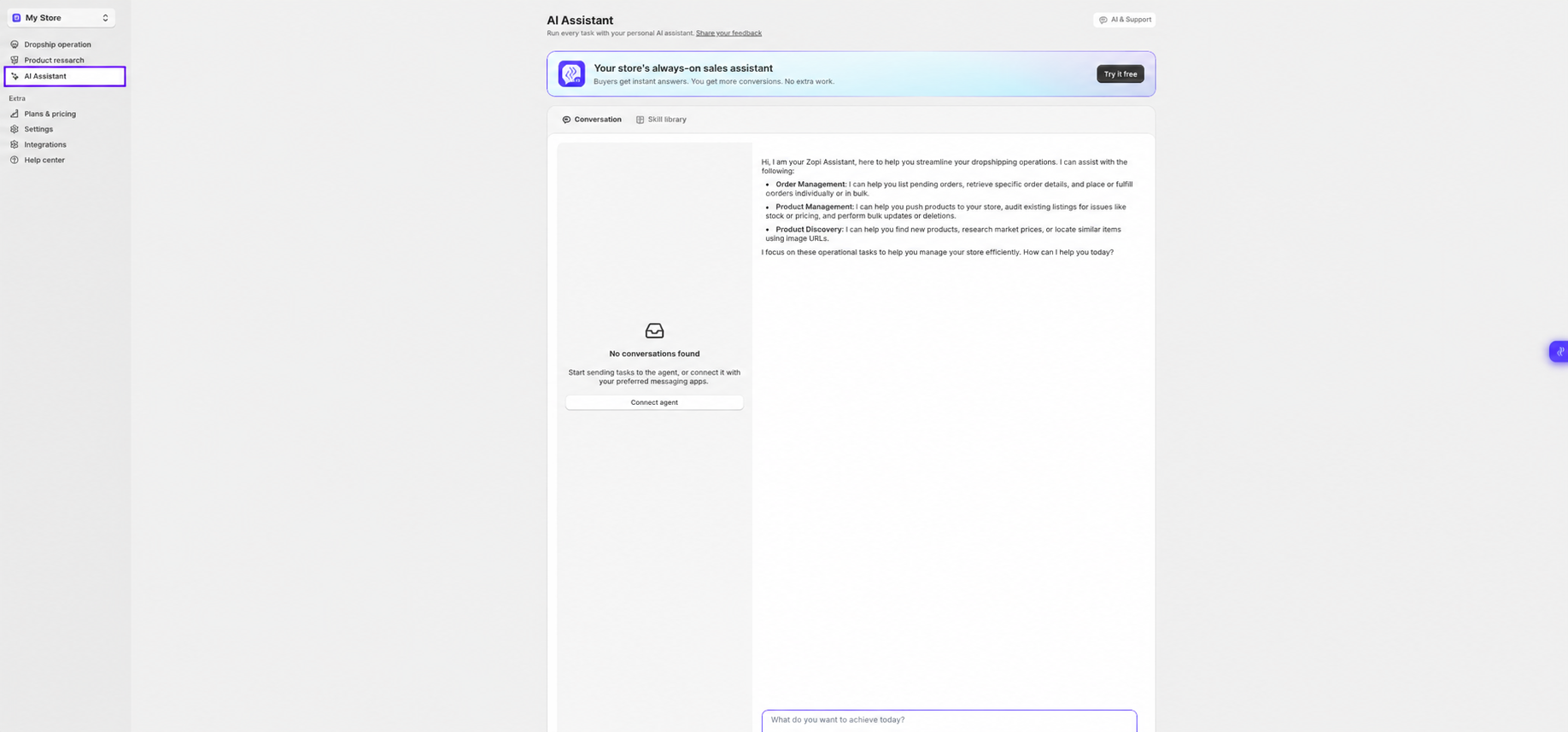
Access AI Assistant
You can access AI Assistant from the left sidebar inside Zopi.
Path:
Zopi > AI Assistant
Direct link: https://ds.zopi.io/app/ai-assistant
What Can AI Assistant Help With?
Product Discovery
You can ask AI Assistant to:
- Find trending products
- Explore niches
- Discover winning products
- Find similar products
Examples:
- “Find trending pet products”
- “Show me beauty products with high demand”
- “Find similar products to this item”
Product Management
AI Assistant can help:
- Optimize product titles
- Improve descriptions
- Review product listings
- Detect potential listing issues
Examples:
- “Optimize this product title”
- “Check this listing for issues”
Order Management
AI Assistant can assist with:
- Order lookup
- Pending order review
- Tracking guidance
- Fulfillment-related questions
Examples:
- “Show pending orders”
- “Help me to place this order”
How to Start Using AI Assistant
Step 1: Open AI Assistant
- Go to AI Assistant from the left sidebar
Step 2: Start a Conversation
- Type your request or question in the chat box
👉 You can ask:
- Product questions
- Order questions
- Workflow guidance
- Research requests
Step 3: Review AI Suggestions
- AI Assistant will generate suggestions, recommendations, or operational guidance
👉 Depending on the task, the assistant may:
- Recommend products
- Explain workflows
- Help troubleshoot issues
Example Prompts
Here are some prompts you can try:
Product Discovery
- “Find trending home decor products”
- “Show me viral beauty products”
Product Management
- “Optimize this product description”
- “Find issues with this product listing”
Order Management
- “Show pending orders”
- “Why is this order stuck in processing?”
Research
- “Find winning products for summer”
- “Analyze this niche”
Best Practices
- Use clear and specific prompts
- Mention product category or niche when possible
- Ask one task at a time for better results
- Use AI Assistant together with Product Research tools for deeper insights
Need Help?
If you need assistance while using Zopi:
- Contact our support team via Live Chat inside Zopi
- Visit the Zopi Help Center for more guides
- Join the Zopi Community to ask questions and learn from other users
👉 Our team is available to help you resolve issues quickly and keep your orders running smoothly.