
In Zopi’s Order Tracking settings, you can decide whether Shopify should automatically send a shipping confirmation email each time Zopi syncs a tracking number. This setting acts as a bridge, allowing you to control email notifications to your customers.
To configure this setting, follow these simple steps:
Step 1: Access Order Tracking Settings
Go to Settings & Billing → Order Tracking.
Step 2: Enable Shipping Confirmation Emails
- Find the setting labeled Send shipping confirmation email.
- Toggle the option Enable Shopify shipping confirmation emails to Active. This allows Shopify to automatically send a shipping confirmation email whenever Zopi syncs a tracking number.
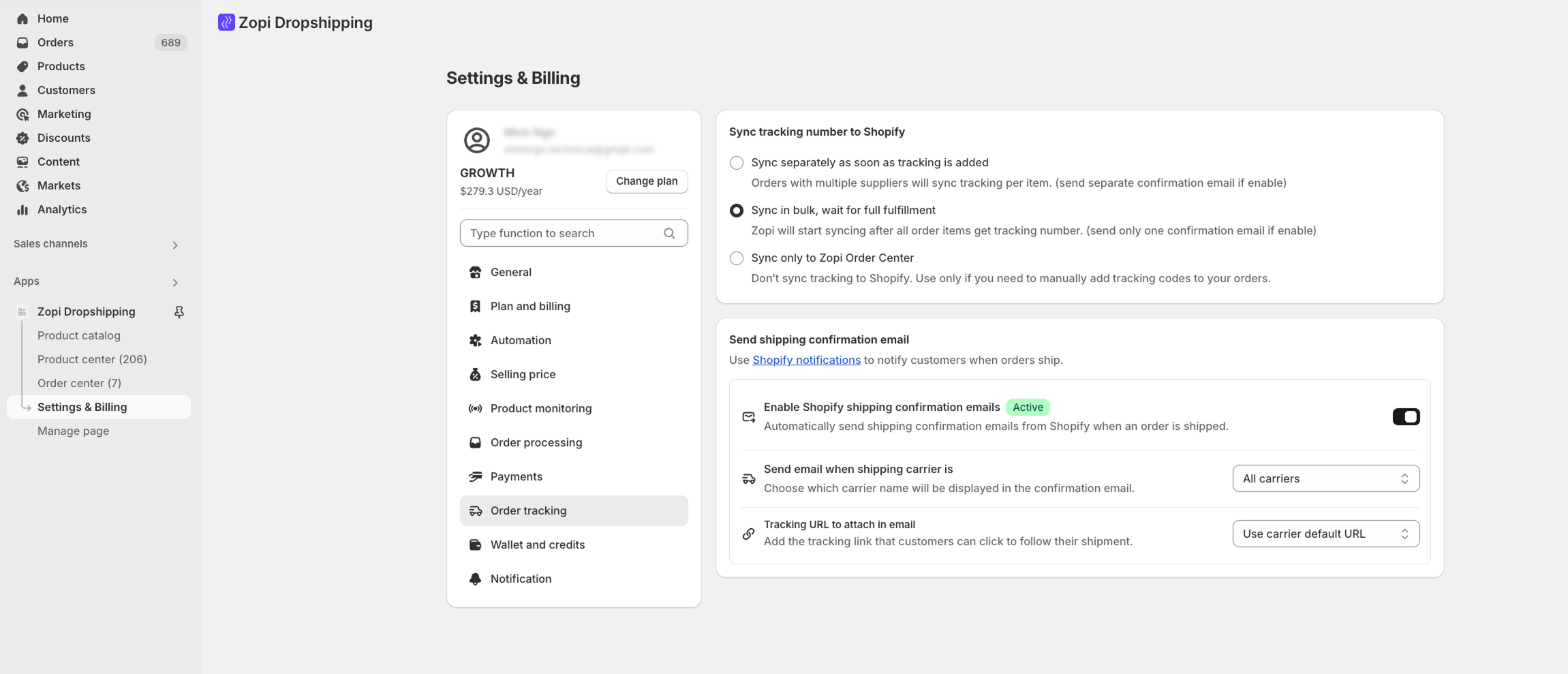
Before enabling, you can further customize how and when emails are sent:
- Send email when shipping carrier is:
- Choose which carriers should trigger the confirmation email.
- Options include the default All carriers or specific ones like USPS, DHL, YunExpress,….
- Tracking URL to attach in email:
- Decide which tracking link to include in the email.
- Options:
- Use carrier default URL: Redirects customers to the carrier’s site.
- Use custom URL: Redirects to your store’s tracking page.
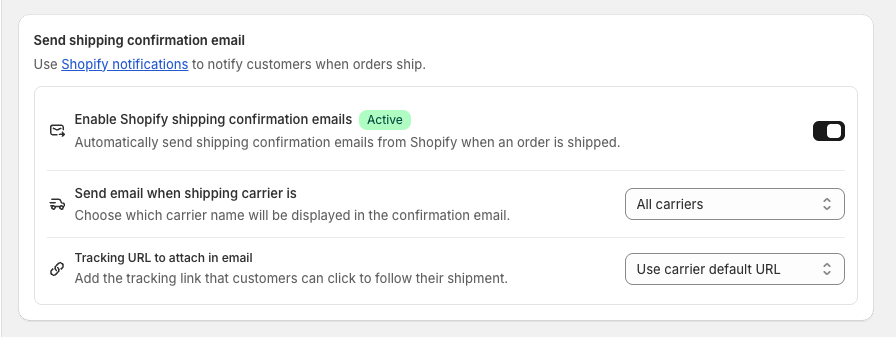
Once enabled and configured, Zopi will sync tracking numbers to Shopify. Shopify will then automatically send a shipping confirmation email with the carrier information and your chosen tracking link. This ensures your customers are always informed, boosting trust and reducing support tickets.
For more information on optimizing your dropshipping operations, check out our Help Center.