
In Zopi, the Order Status system helps merchants track orders throughout the entire fulfillment process, from unprocessed orders to successful deliveries or cancellations.
Inside the Place Order section, Zopi organizes orders into different status tabs so merchants can quickly understand what action is needed for each order. This helps reduce fulfillment confusion, improve workflow organization, and make order management faster and easier.
What is Order Status in Zopi?
Order Status in Zopi is a feature that helps merchants categorize and manage orders based on their fulfillment stage.
Currently, Zopi provides four default order statuses inside the Place Order section:
- Pending
- Shipping
- Fulfilled
- Closed
Each status represents a different stage in the order lifecycle. This allows merchants to monitor fulfillment progress more effectively and avoid mixing active, completed, and canceled orders together.
In addition to the default tabs, Zopi also allows merchants to create their own custom order status views by clicking the plus (+) icon next to the status tabs.
Understanding Each Order Status in Zopi
Each order status in Zopi serves a specific purpose in the fulfillment workflow.
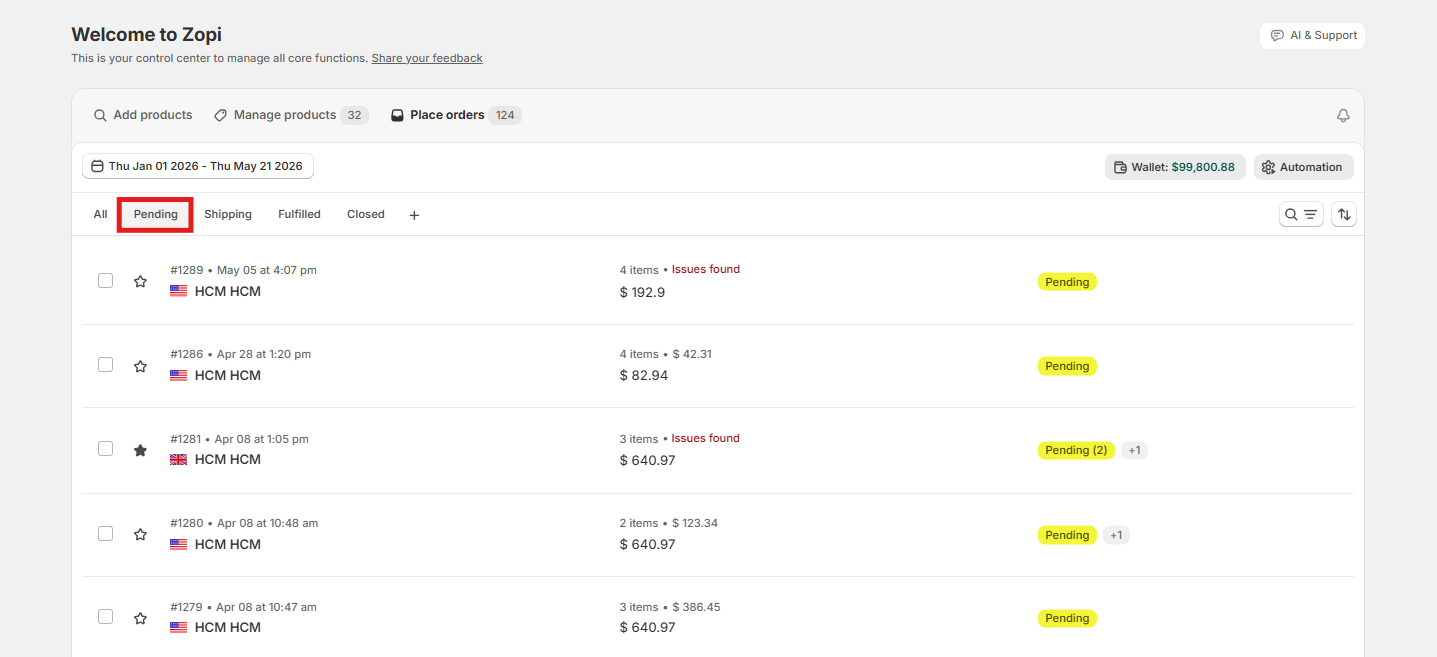
Pending
The Pending tab contains orders that have not been fulfilled yet.
Orders in this status usually mean:
- The fulfillment process has not started
- The supplier has not processed the order yet
- Additional fulfillment action may still be required
This is typically the first stage of the order lifecycle. Merchants should monitor this tab regularly to avoid fulfillment delays.
Shipping
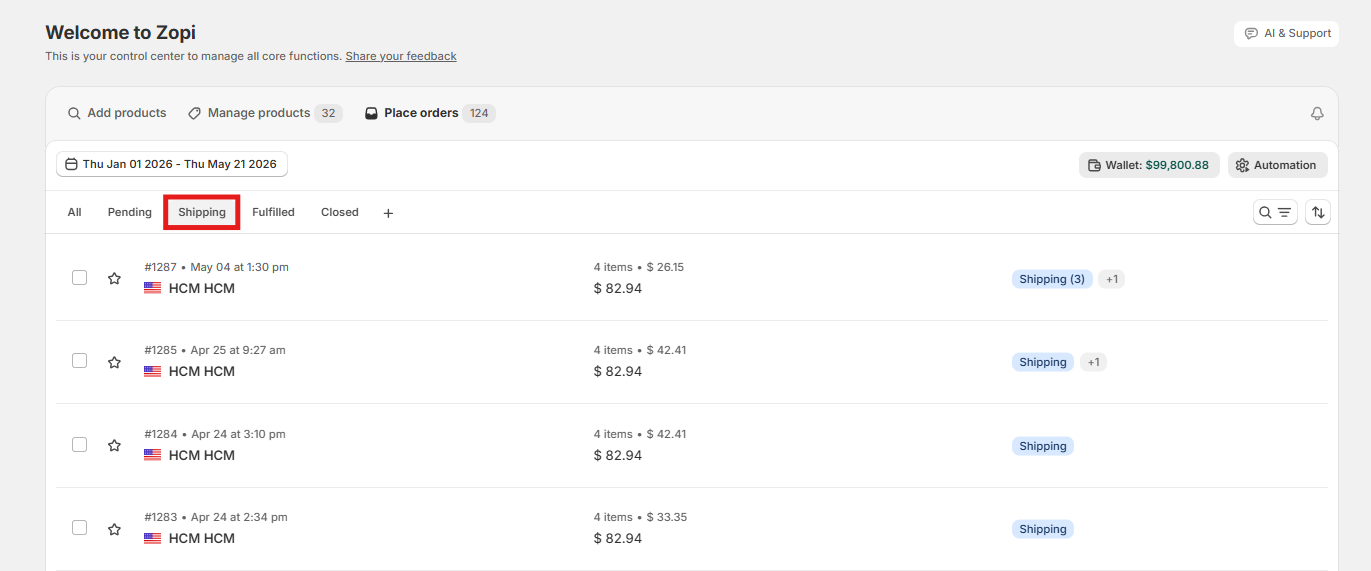
The Shipping tab contains orders that were processed successfully and are currently waiting to be shipped or are in the shipping process.
Orders under this status may include:
- Orders are being prepared by suppliers
- Orders with tracking updates pending
- Orders that are currently in transit preparation
This status helps merchants keep track of orders before final delivery.
Fulfilled
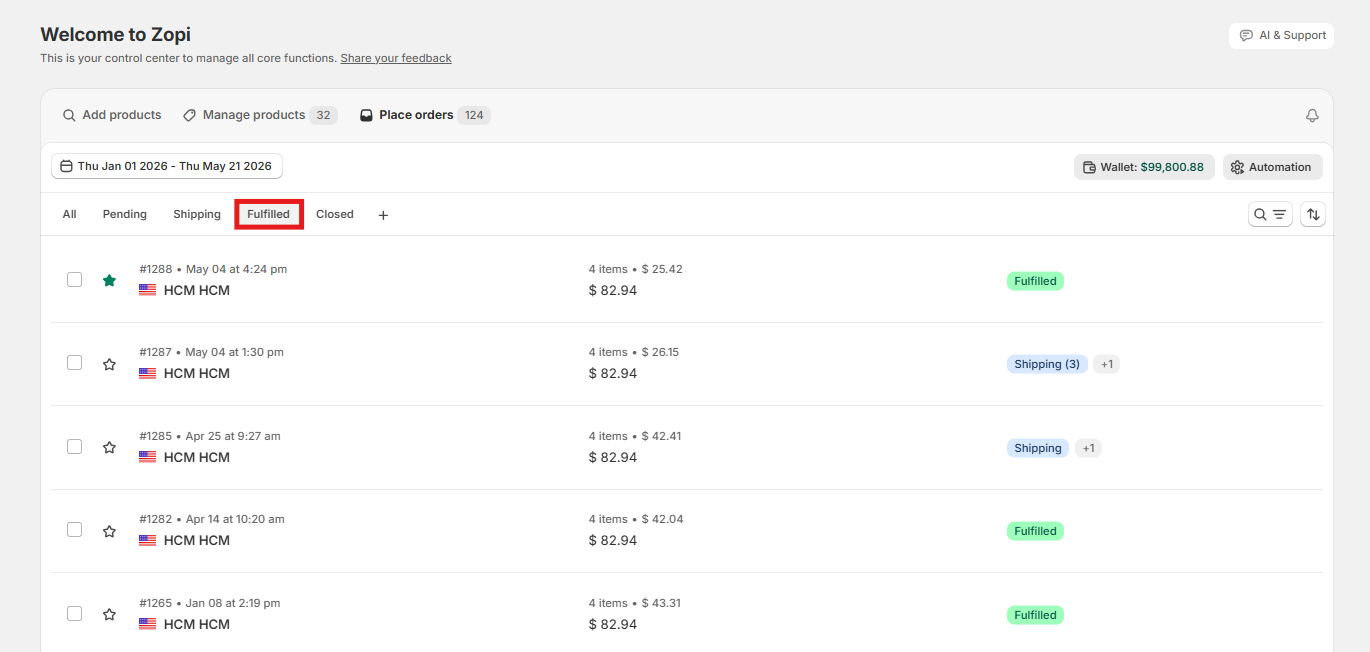
The Fulfilled tab contains orders that have been successfully delivered.
This status helps merchants:
- Review completed orders
- Track successful deliveries
- Maintain fulfillment records
- Monitor overall fulfillment performance
Orders in this tab no longer require fulfillment action.
Closed
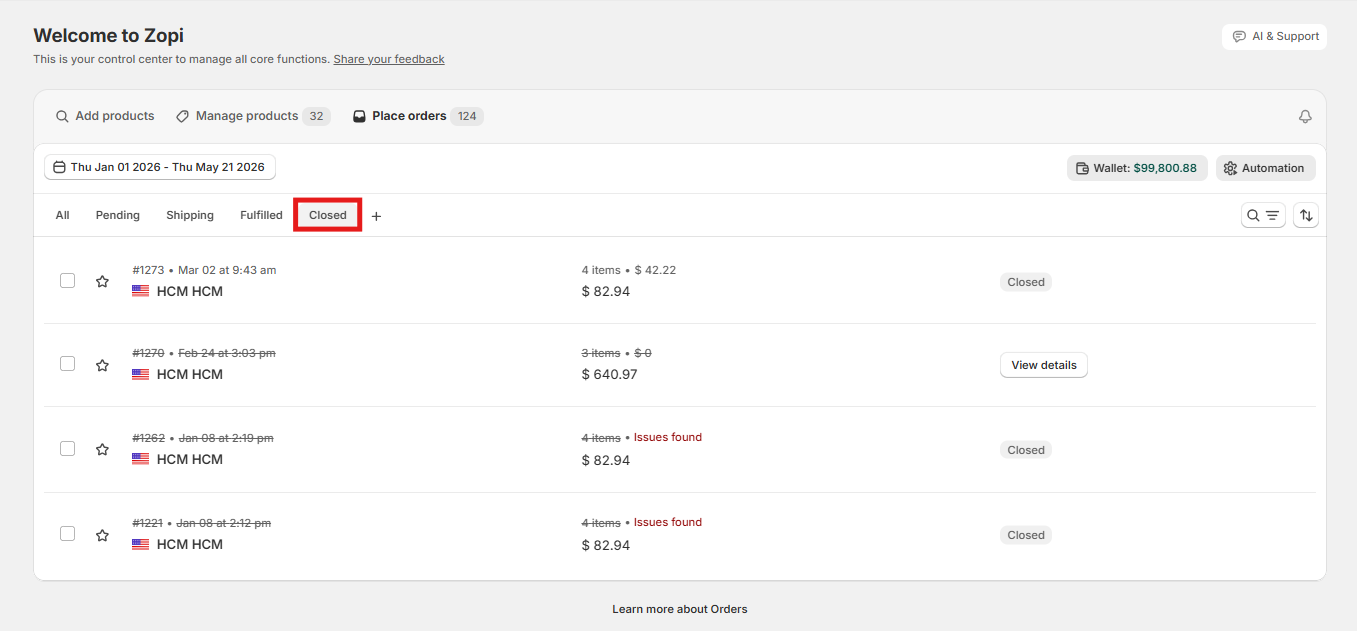
The Closed tab contains canceled orders.
Orders may appear here if:
- The order was canceled from Shopify
- The supplier canceled the order d
Keeping canceled orders in a separate tab helps merchants maintain a cleaner and more organized fulfillment workflow.
Custom Order Status Views
In addition to the four default statuses, Zopi also allows merchants to create custom order status views using the plus (+) icon next to the status tabs.
This feature is especially helpful for merchants managing large-scale dropshipping operations.
Common Challenges and How to Overcome Them
Merchants may occasionally encounter confusion when managing orders across different statuses. Below are some common situations.
Orders Remain in Pending
If orders stay in the Pending status for too long:
- Check whether fulfillment has been processed
- Confirm that payment was completed successfully
Orders Stay in Shipping for an Extended Time
If an order remains under Shipping longer than expected:
- Wait for tracking information updates
- Review shipping carrier progress
- Contact the supplier if delays continue
Tips and Best Practices
To manage orders more efficiently in Zopi, consider the following best practices.
- Check the Pending tab daily to prevent fulfillment delays
- Review the Shipping tab regularly for tracking updates
- Use custom views to organize complex workflows
- Monitor Closed orders to identify supplier or product issues
- Keep completed orders under Fulfilled for reporting and tracking purposes
You can also explore additional order workflow resources in the Zopi Order Management Collection.
Need Help?
If you need assistance while using Zopi:
- Contact our support team via Live Chat inside Zopi
- Visit the Zopi Help Center for more guides
- Join the Zopi Community to ask questions and learn from other users
👉 Our team is available to help you resolve issues quickly and keep your orders running smoothly.