Order Center

How to Top Up Your Zopi Wallet

Update on: 12/11/2025

Table of contents

IntroductionTop-Up MethodsPayPal (Friends & Family / Mass Payment)Wire TransferE-Wallets (Payoneer, Sunrate, Airwallex)Verification & SecurityTips for a Smooth Top-Up ExperienceConclusion

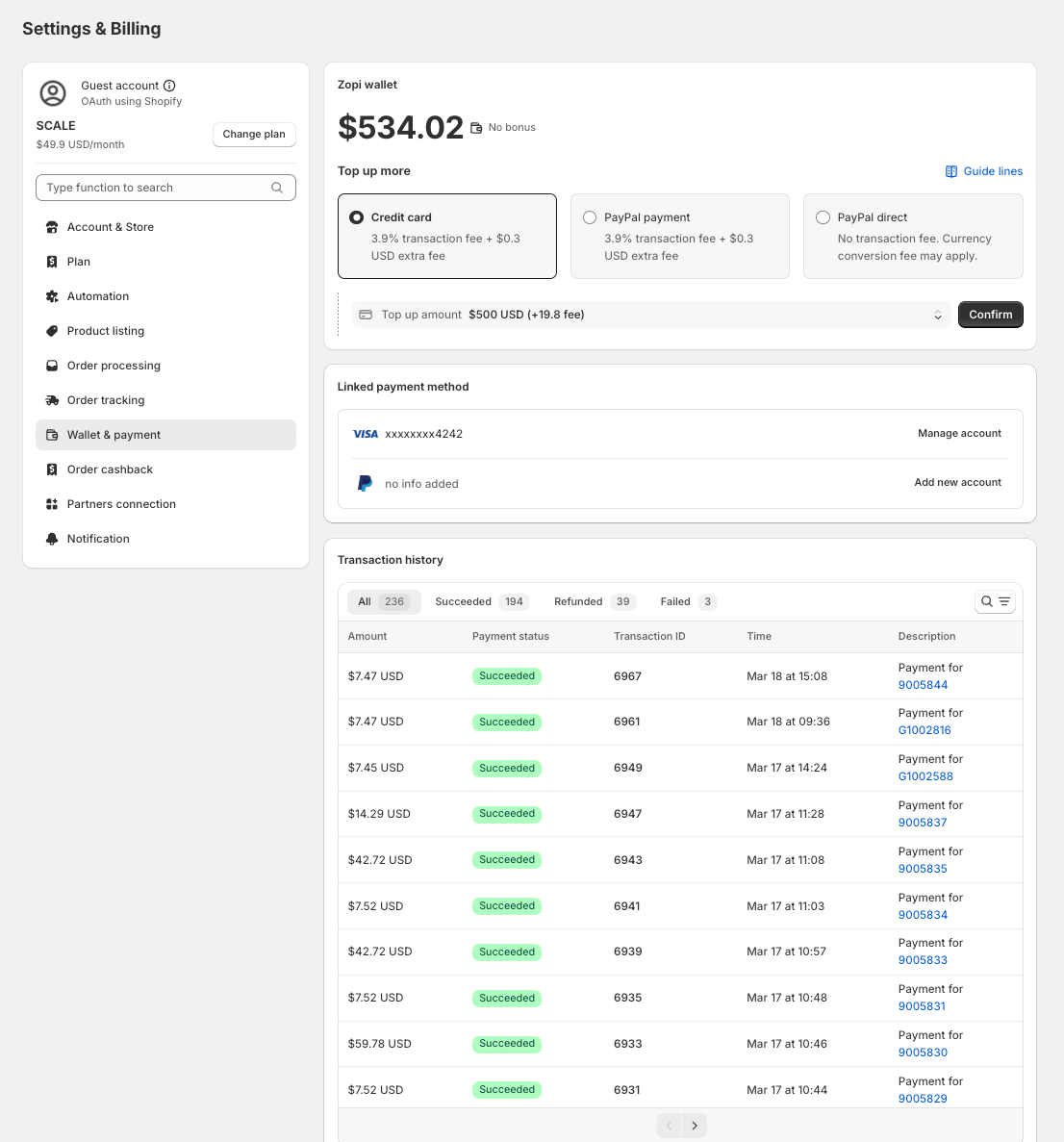
Toping up your Zopi Wallet is a straightforward process that enables you to manage your payments within the Zopi ecosystem seamlessly. This guide will walk you through the available methods for adding funds to your wallet and provide tips for a smooth transaction experience.


Zopi Wallet is a digital wallet service that enables verified Shopify merchants and active Zopi account users to pay for orders, receive cashback, and enjoy promotional bonuses. To fully utilize these features, ensure your wallet is funded. Here’s how you can top up your Zopi Wallet.


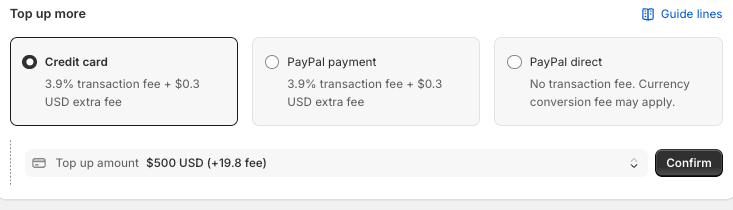
Zopi supports several methods for adding funds to your wallet. Below are the current and upcoming options:

  • Description: This is a lower-risk payment option with no dispute mechanism, making it a secure choice for topping up your wallet.
  • Status: Active
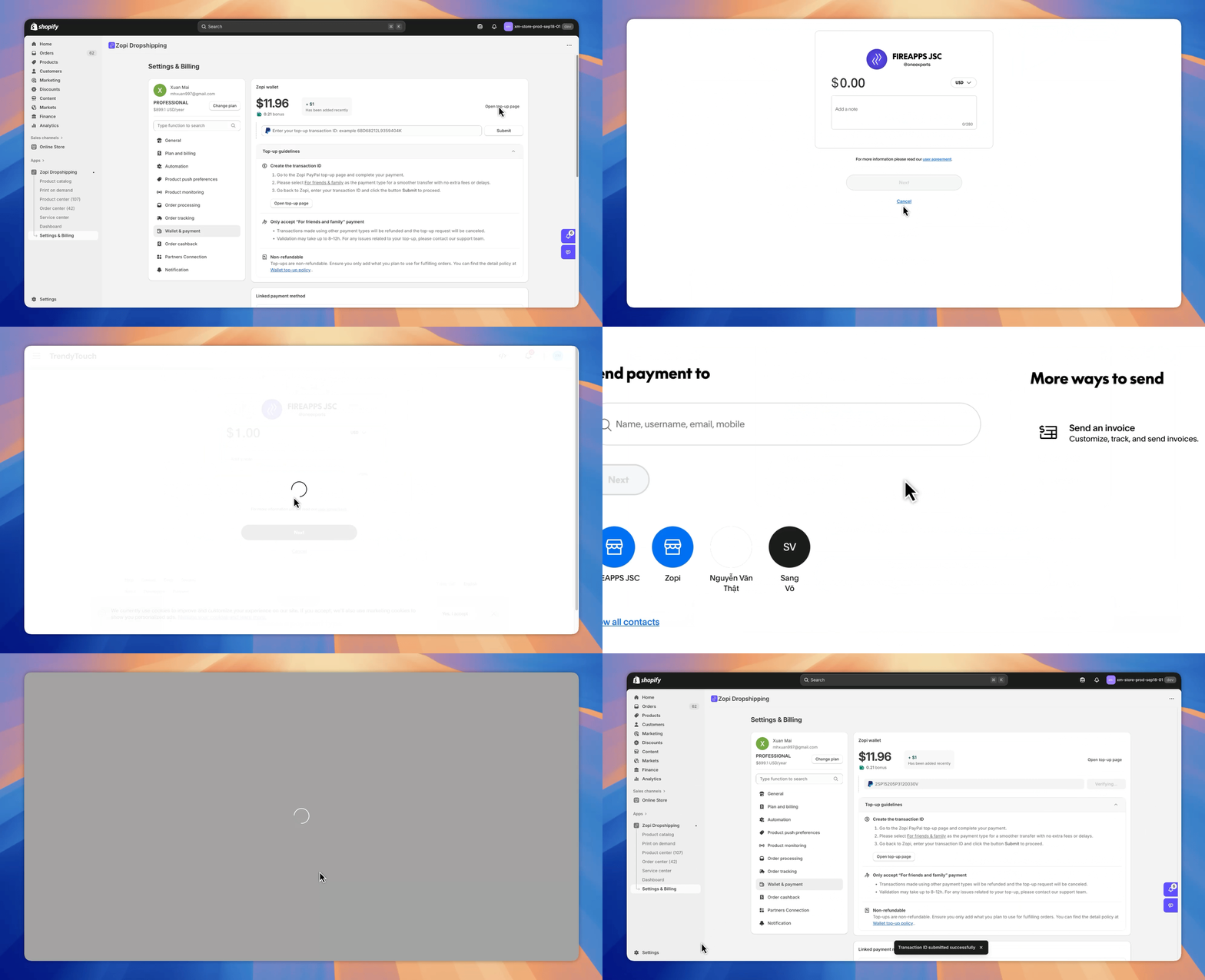
  • How to Use: Log in to your PayPal account, select the Friends & Family or Mass Payment option, and transfer the desired amount to your Zopi Wallet. You can use this PayPal link to initiate the transfer.


  • Description: Ideal for business transfers and large top-ups, wire transfers offer a reliable way to add significant funds to your wallet.
  • Status: Coming Soon
  • How to Use: Once available, you will be able to initiate a wire transfer from your bank to your Zopi Wallet. Ensure you have the necessary bank details and reference information.
  • Description: Wallet-to-wallet transfers provide a convenient method for adding funds directly from your e-wallet accounts.
  • Status: Coming Soon
  • How to Use: When this option becomes available, you can transfer funds from your Payoneer, Sunrate, or Airwallex account to your Zopi Wallet.


To ensure the security of your transactions, Zopi may request proof of payment, such as a transfer receipt or screenshot, for manual review. Please note:

  • Top-ups from unverified accounts may be delayed or rejected.
  • Zopi reserves the right to hold or freeze suspicious funds to prevent fraud or money laundering.


  • Verify Your Account: Ensure your Zopi account is verified to avoid delays in processing your top-up.
  • Keep Records: Save all transaction receipts and confirmations for your records and potential verification requests.
  • Stay Informed: Check the Zopi website for updates on new top-up methods and any changes to existing processes.


Topping up your Zopi Wallet is essential for managing your payments within the Zopi ecosystem efficiently. By following the steps outlined above and staying informed about available methods, you can ensure a seamless and secure top-up experience. If you encounter any issues or have questions, please reach out to Zopi support for assistance.

FAQ - Zopi Wallet

What is Zopi Wallet?

Zopi Wallet is a digital wallet service provided by Zopi that allows verified Shopify merchants to pay for orders and fulfillment fees, as well as receive cashback and promotional bonuses within the Zopi ecosystem.

How can I add funds to my Zopi Wallet?

You can top up your Zopi Wallet using several methods, including PayPal (Friends & Family / Mass Payment), with wire transfers and e-wallets (like Payoneer, Sunrate, and Airwallex) coming soon.

How do I top up my Zopi Wallet using PayPal?

To top up using PayPal, log in to your PayPal account, select the Friends & Family or Mass Payment option, and transfer the desired amount to your Zopi Wallet. You can use this PayPal link to initiate the transfer.

Will there be other top-up methods available in the future?

Yes, Zopi plans to introduce wire transfers for large top-ups and wallet-to-wallet transfers from e-wallets like Payoneer, Sunrate, and Airwallex in the near future.

What should I do if my top-up is delayed or rejected?

If your top-up is delayed or rejected, ensure that your Zopi account is verified and that you have provided the correct payment information. Zopi may request proof of payment for manual review.

What should I do if I encounter issues while topping up my wallet?

If you experience any issues while topping up your Zopi Wallet, please reach out to Zopi support for assistance. They can help resolve any problems you may encounter.

Related articles

Order Center: Now More Powerful and User-Friendly Than Ever

We are excited to announce significant upgrades to the Order Center. One of the major changes is the redesign of Zopi’s interface, now aligned with the latest Polaris design. This update streamlines the order management process, allowing you to save time and avoid scrolling through every order. Explore our new features designed to enhance your…

How to Cancel a Temu Order & Request a Refund (Step-by-Step Guide)

Are you looking to cancel an order on Temu? Or perhaps a customer has requested a refund? Follow these straightforward steps to effectively manage both situations. How to Cancel an Order from Temu To cancel an order on Temu, follow these steps: Log into your Temu account. Click on your user avatar in the top…

Set Default Message to AliExpress Suppliers

When placing orders, you may have specific requirements for your suppliers. Utilize the Set Default Message to Supplier feature to communicate directly with your supplier during the ordering process. Please note that this feature is exclusively available for AliExpress as the order source. Follow the steps below to set it up effectively. How to Set…

Subscribe
Notify of
guest

0 Comments
Inline Feedbacks
View all comments

Table of contents

IntroductionTop-Up MethodsPayPal (Friends & Family / Mass Payment)Wire TransferE-Wallets (Payoneer, Sunrate, Airwallex)Verification & SecurityTips for a Smooth Top-Up ExperienceConclusion

Related articles

Change the Quantity of an Order

If your customer wants to change the order quantity after it has been received in your store, please follow the solutions below before placing the order in Zopi. How to Change the Quantity of an Order To effectively change the quantity of an order, you will need to make adjustments directly in your Shopify store….

Leave a Message to Zopi’s Supplier

When utilizing the Zopi Fulfillment Service, it’s essential to communicate any special requirements or requests to Zopi’s Supplier. You can easily do this through the Contact Supplier feature, which is available for orders fulfilled by Zopi. Follow these straightforward steps to get started. How to Contact Zopi’s Supplier Log in to Zopi and navigate to…

Zopi Order Automation – Complete Guide

Zopi’s Order Automation helps you process orders faster, reduce manual work, and ensure consistency. You decide when automation should run ( Triggers + Conditions ) and what Zopi should do ( Actions ). What is Order Automation? Order Automation in Zopi enables you to set up rules that automatically process orders according to your preferences…

Share your thought