
Keeping your Zopi Wallet funded is essential to ensure smooth order fulfillment and automation in your dropshipping business. This guide will walk you through all available Zopi wallet top-up methods, fees, and step-by-step instructions.
Where to Find Zopi Wallet
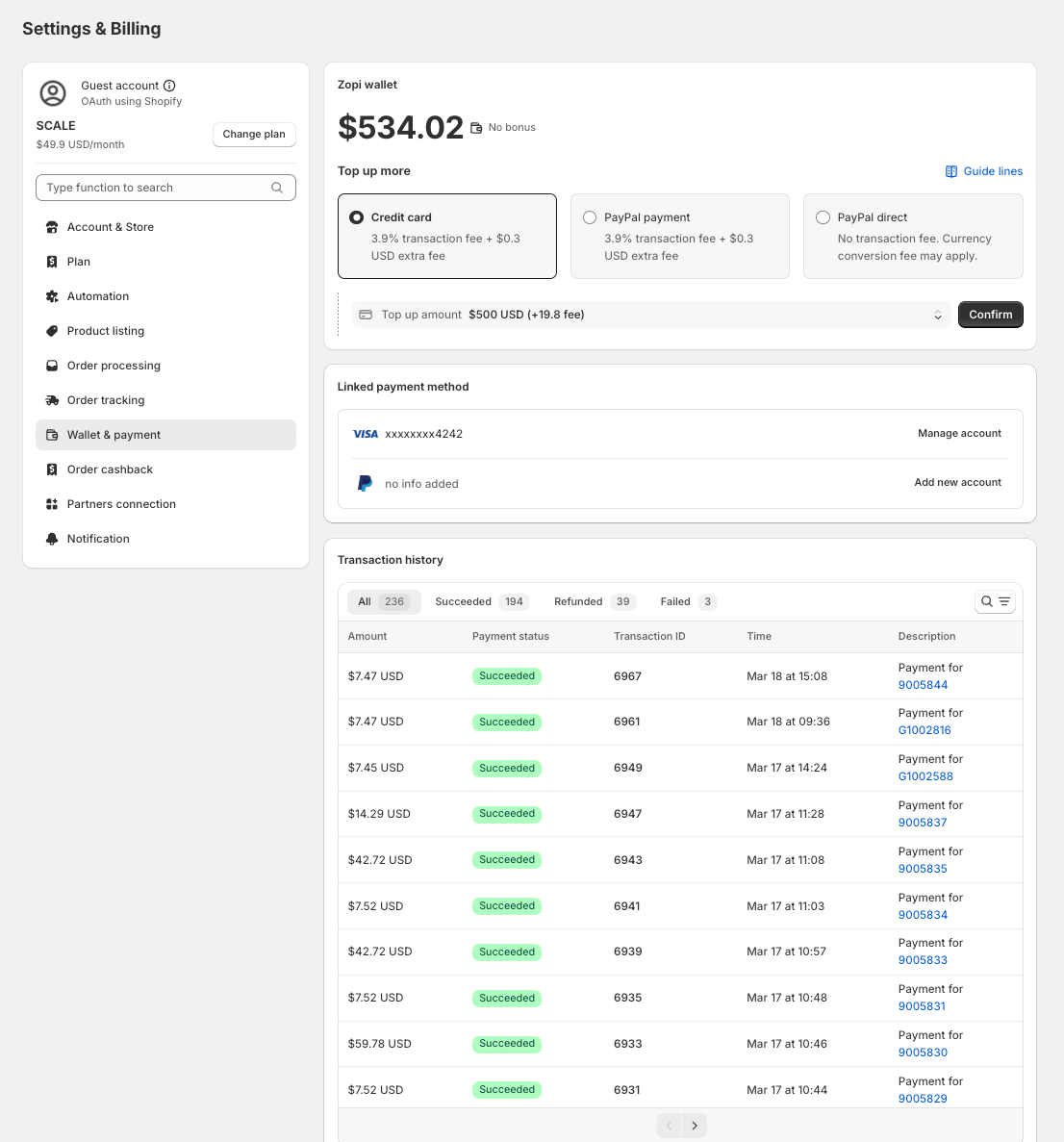
To start topping up your balance, follow these steps inside your Zopi dashboard:
- Go to Settings & Billing
- Click on Wallet & payment
- You’ll see your current balance and available top-up options
Available Zopi Wallet Top-Up Methods
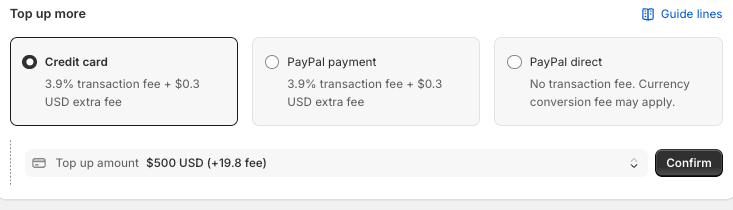
Zopi currently supports 3 payment methods. Choose the one that best fits your needs:
1. Credit Card
- Fee: 3.9% + $0.30 per transaction
- Best for: Fast and simple payments
- Processing time: Instant
This option is suitable if you want to fund your wallet quickly and start fulfilling orders right away.
2. PayPal Payment
- Fee: 3.9% + $0.30 per transaction
- Best for: Users who prefer PayPal
- Processing time: Instant
This works similarly to credit card payments but through your PayPal account.
3. PayPal Direct (Manual Transfer)
- Fee: No transaction fee (currency conversion may apply)
- Best for: Saving fees on large top-ups
- Processing time: 8–12 hours verification
This method is ideal if you want to reduce fees and don’t mind waiting for verification.
Step-by-Step: How to Top Up Zopi Wallet
Follow these steps to add funds to your wallet:
- Go to Settings & Billing → Wallet & payment
- Select your preferred payment method:
- Credit Card
- PayPal Payment
- PayPal Direct
- Enter your top-up amount
- Click Confirm (or follow PayPal instructions if selected)
- Complete the payment process
Your wallet balance will update:
- Instantly for Credit Card & PayPal
- After verification (8–12 hours) for PayPal Direct
Important Notes
Before topping up, keep these key details in mind:
- Transaction fees are calculated at the time of payment
- Currency conversion fees may apply (especially for PayPal Direct)
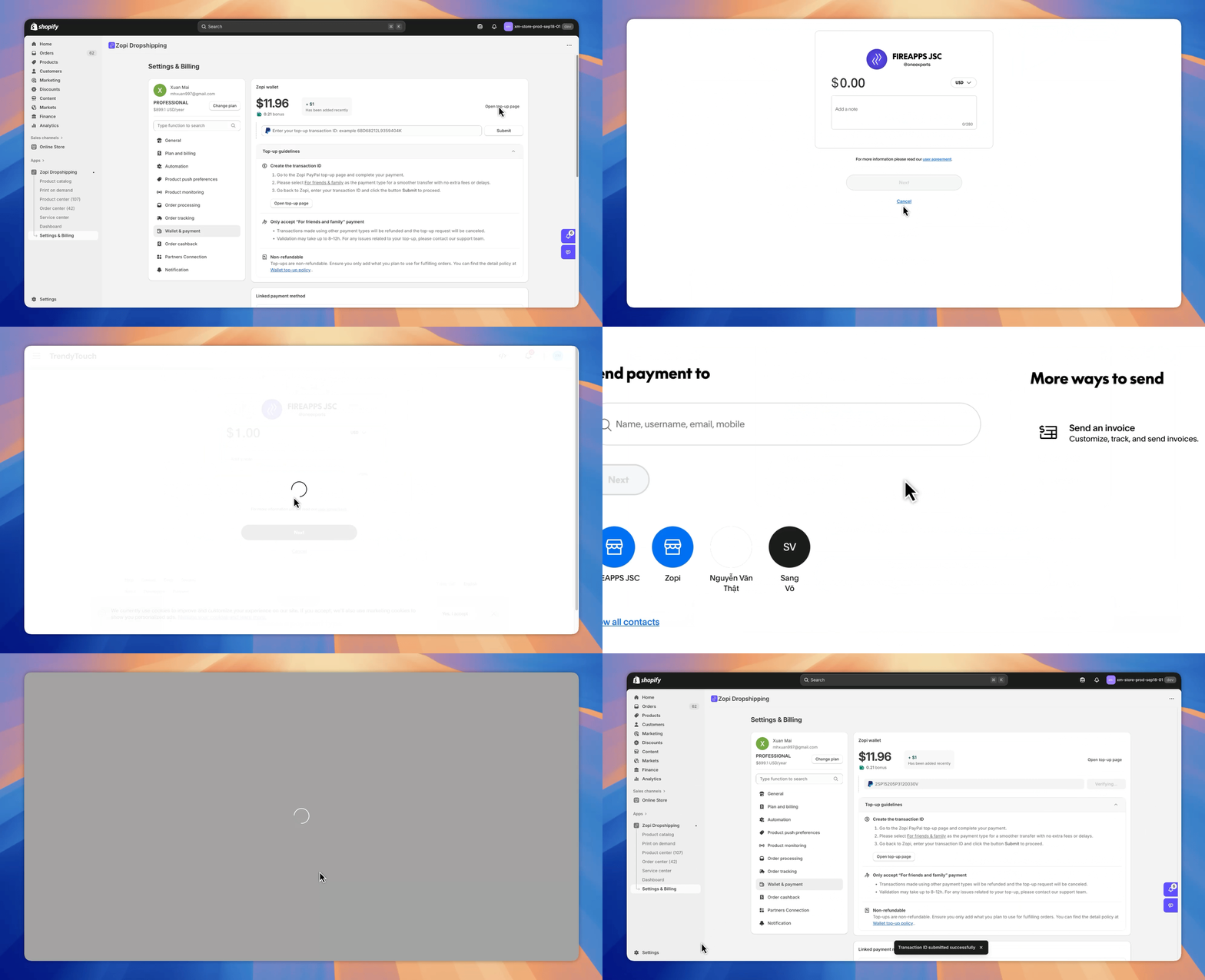
- For PayPal Direct:
- Use Friends & Family to avoid extra fees
- Enter your Transaction ID in Zopi after payment
- Always double-check your amount before confirming
Tips to Optimize Your Wallet Usage
Managing your wallet efficiently can improve your dropshipping workflow. Here are a few tips to help you avoid interruptions:
- Top up enough balance to avoid order delays
- Use PayPal Direct for large amounts to reduce fees
- Enable automation for hands-free fulfillment
To improve your workflow further, you can follow this guide:
Set up automatic order fulfillment in Zopi: https://help.zopi.io/order-processing/automation
Topping up your Zopi Wallet is essential for managing your payments within the Zopi ecosystem efficiently. By following the steps outlined above and staying informed about available methods, you can ensure a seamless and secure top-up experience. If you encounter any issues or have questions, please reach out to Zopi support for assistance.