
When you try to fulfill an order or push a product to your Shopify store, you may see the message “Product is unavailable.” This error usually appears when the supplier can no longer sell the item, or when the product is restricted in the customer’s destination country.
This guide explains why the error happens and gives you two fast ways to fix it so you can continue fulfilling orders smoothly.
Why This Error Happens
This message appears when Zopi cannot fulfill the product because the supplier has made changes. You may encounter this error in the following scenarios:
Here are the common reasons:
- The supplier stopped selling the product or deleted it.
- The product is not available for the destination country.
The supplier changed SKU/variant availability.
The original link has expired or becomes invalid.
Understanding these causes helps you choose the most accurate fix.
How to Fix “Product Is Unavailable” in Product Center
Steps to fix it in Product Center
- Open Zopi → Product Center.
- Select the product showing the error.
- Click Supplier → Manage supplier.
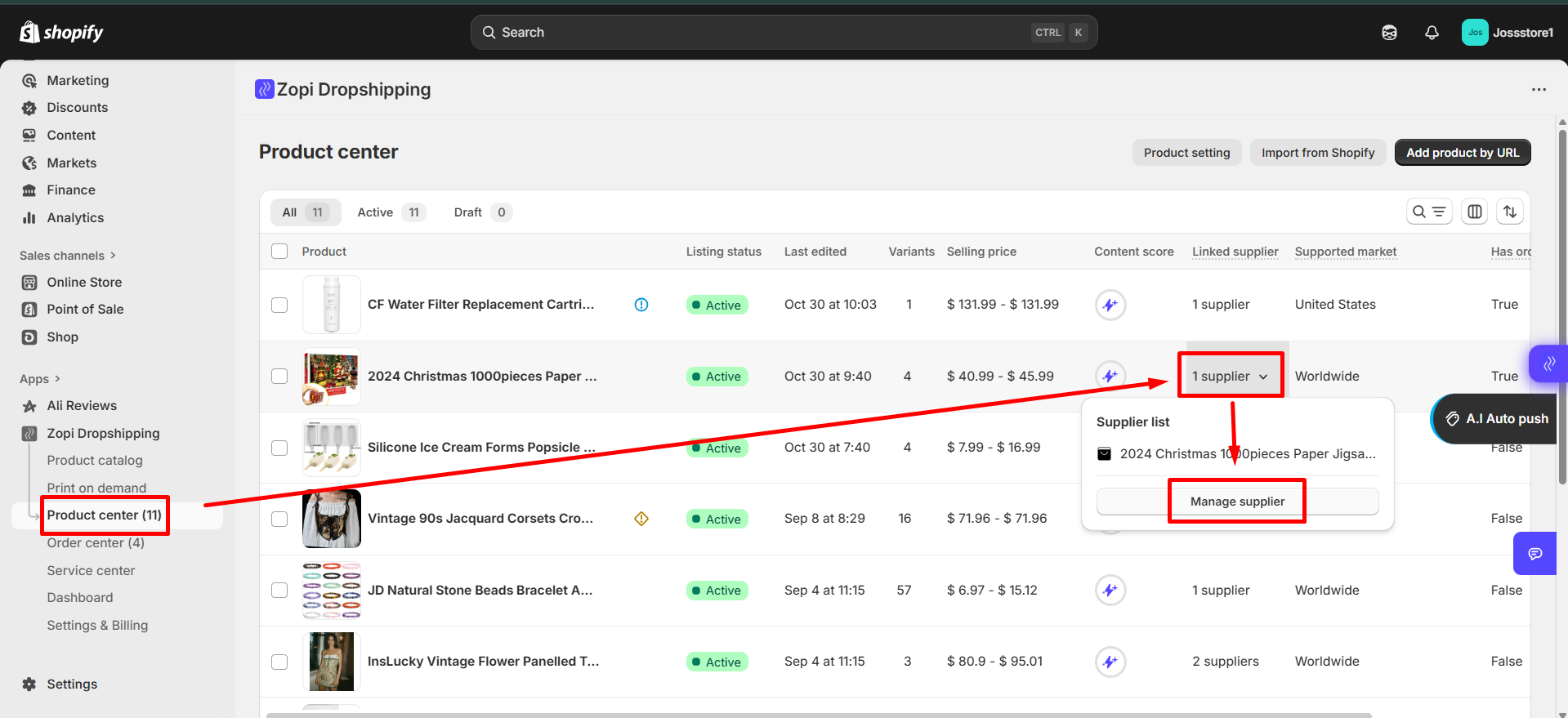
- Choose one of the two options:
-
- Paste a new supplier link (manual option), or
- Click Find similar suppliers to use Zopi’s recommendations.
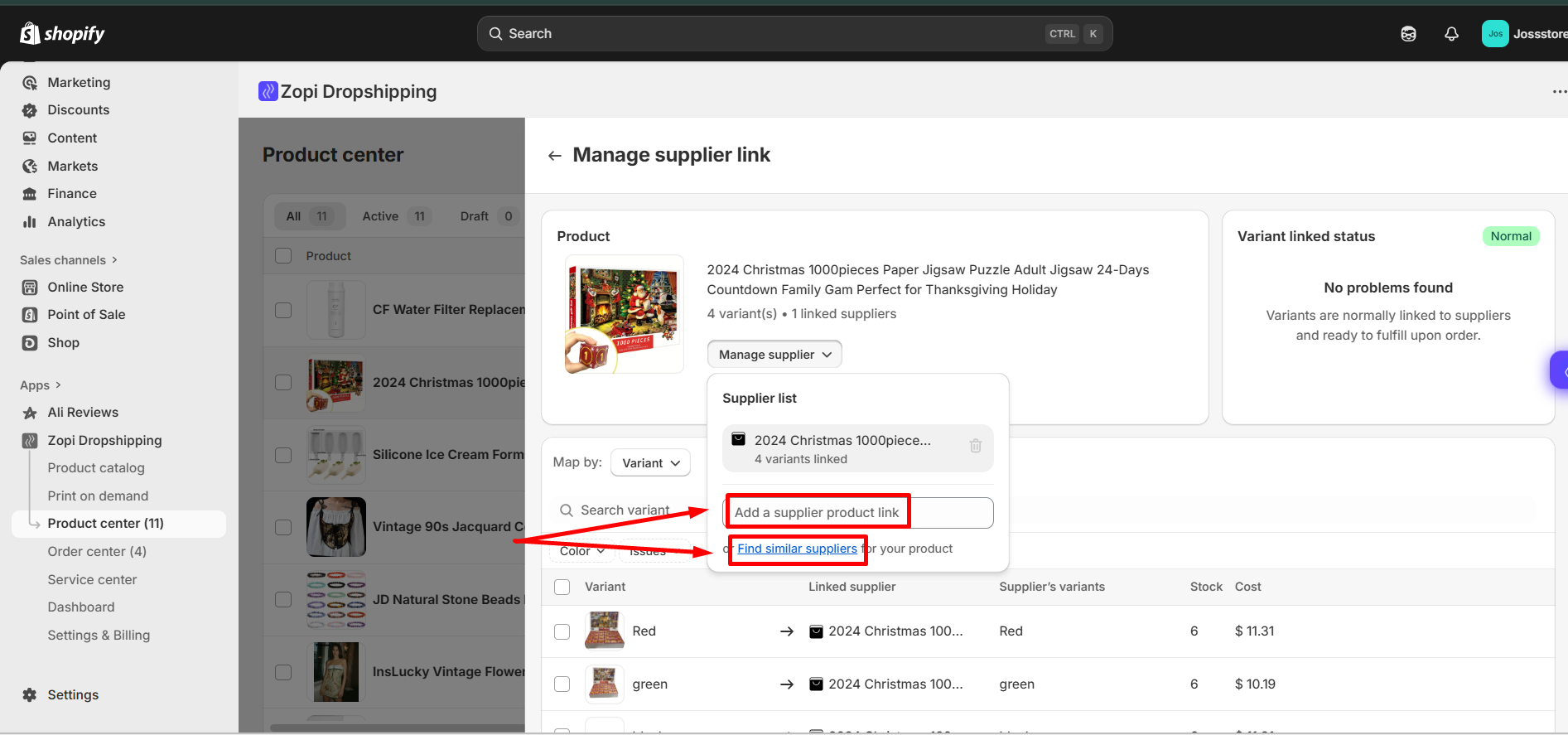
- Save the changes.
For detailed instructions, you can also refer to our full guide:
👉 How to Update Supplier for a Product or Order in Zopi (internal link)
How to Fix “Product Is Unavailable” in Order Center
If the error appears while fulfilling an order, you can swap the supplier link for that specific order without editing the original product.
- Use Instant Fulfillment (Recommended)
This is the fastest way to remap and fulfill your order automatically.
Learn more here: Instant Fulfillment with Zopi – Speed up your order processing
- Update the supplier link manually
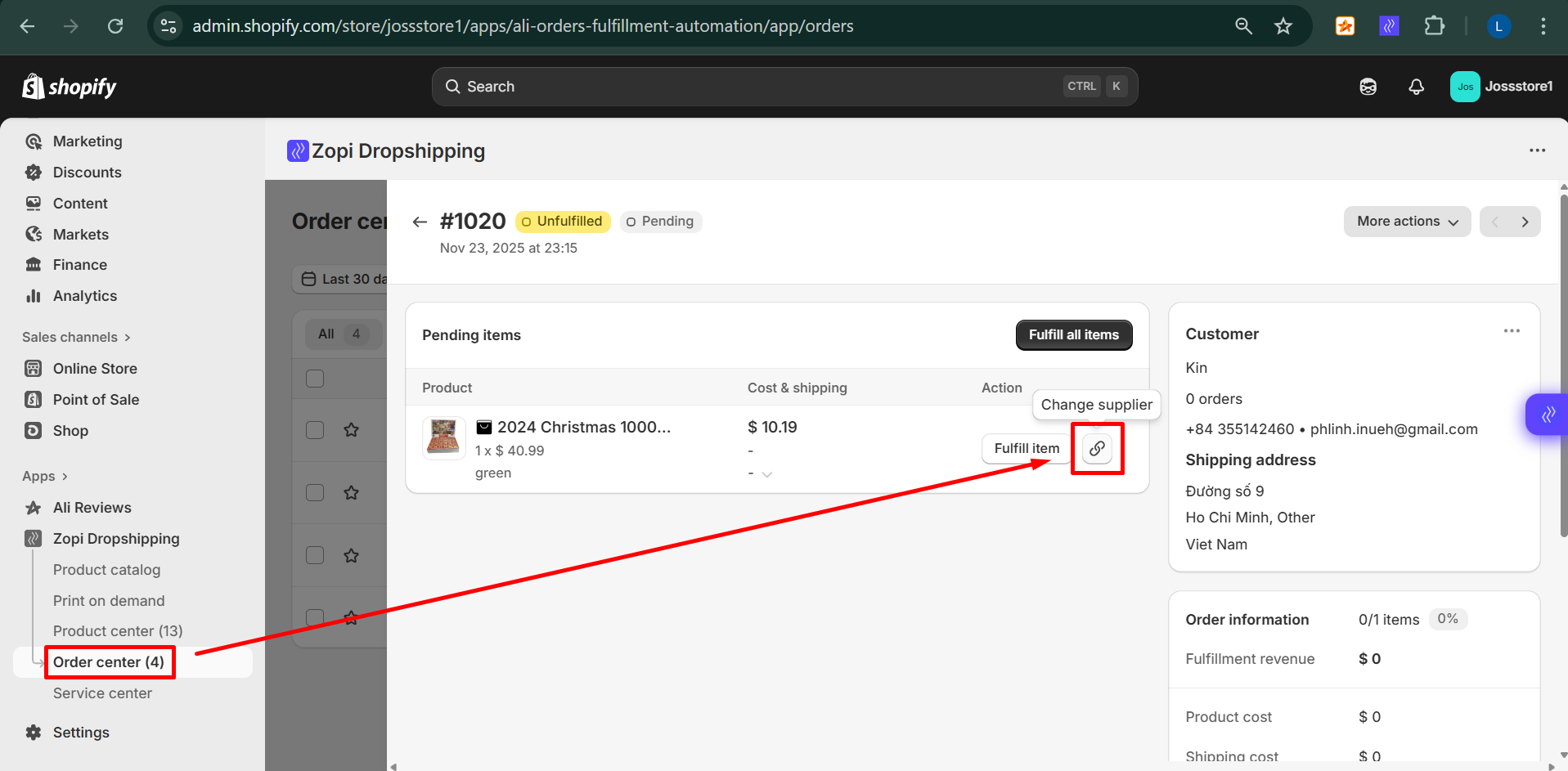
- Open Zopi → Order Center to begin.
- Go to Order Center and open the order showing the error.
- Click the chain/link icon next to the supplier section.
- Choose one of the options:
- Paste a new supplier link manually,
- Use Zopi’s recommended alternative suppliers.
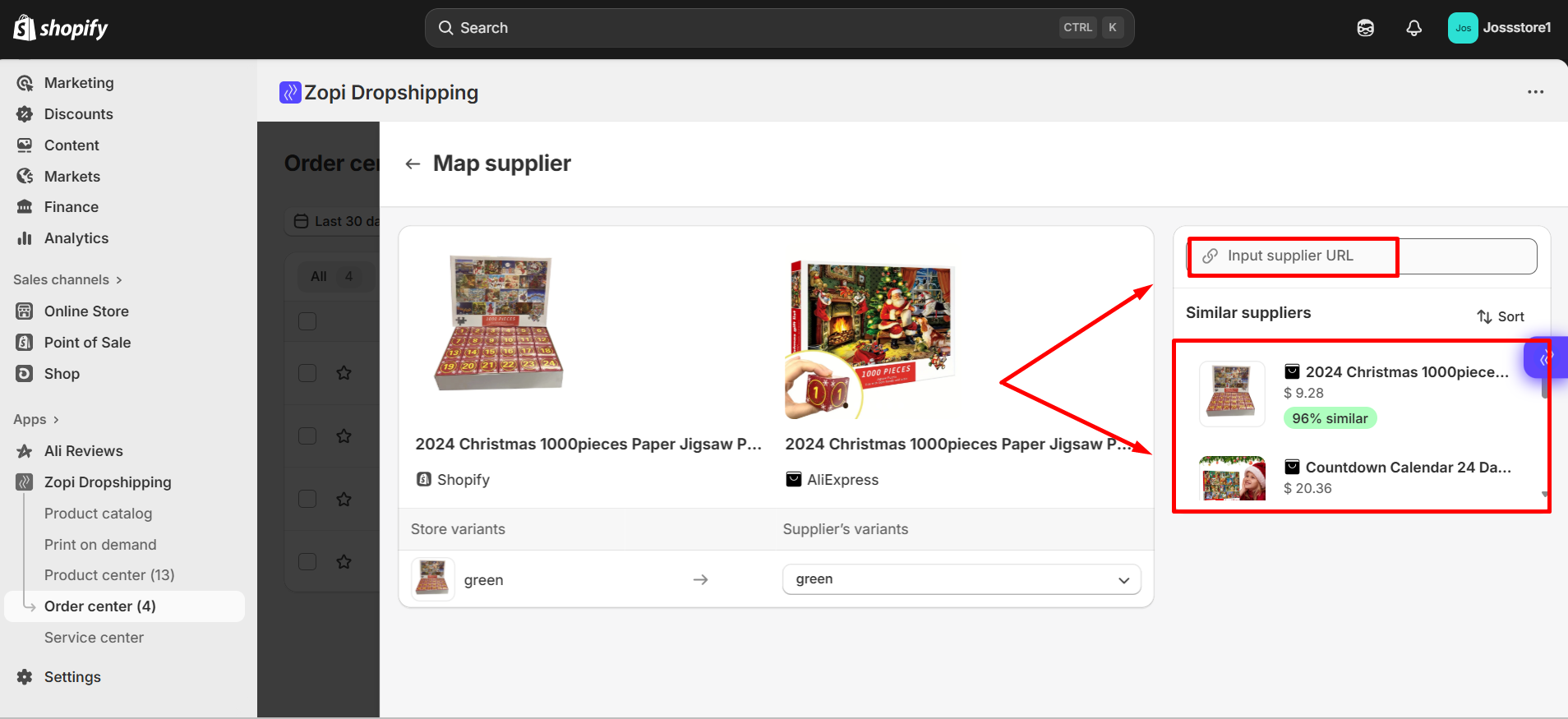
- Once updated, click Fulfill item → Make payment.
For detailed instructions, you can also refer to our full guide:
👉 How to Update Supplier for a Product or Order in Zopi.
Need Help Finding a Supplier? Zopi Sourcing Team Can Support You
If you’re still struggling to find a reliable supplier or want recommendations tailored to your product, Zopi offers a Sourcing Service.
Here’s how the sourcing team can help:
- Suggest high-quality, stable suppliers
- Help compare pricing, shipping time, and variant compatibility
- Recommend alternative products when the original is discontinued
If you’d like our team to help you choose the best supplier, you can contact Zopi Support directly here:
👉 Contact Zopi Support.We’re always happy to assist and make sure your store keeps running smoothly!