What is Zopi? - All-in-one Dropshipping solution

How to Track Orders in Zopi

Update on: 07/05/2026

Table of contents

What “Track Orders” Means in Zopi1. Access Order Tracking2. View Shipping Status What You’ll See3. Check Delivered OrdersConclusionNeed Help?

Tracking orders in Zopi helps you monitor shipping progress after fulfillment. This allows you to stay updated on delivery status and support your customers effectively.

What “Track Orders” Means in Zopi

In Zopi, tracking refers to monitoring orders that have already been fulfilled and shipped.

  • ✅ Includes:
    • Orders with tracking numbers
    • Orders that are in transit or delivered
  • ❌ Does NOT include:
    • Pending orders
    • Orders not yet placed with suppliers

1. Access Order Tracking

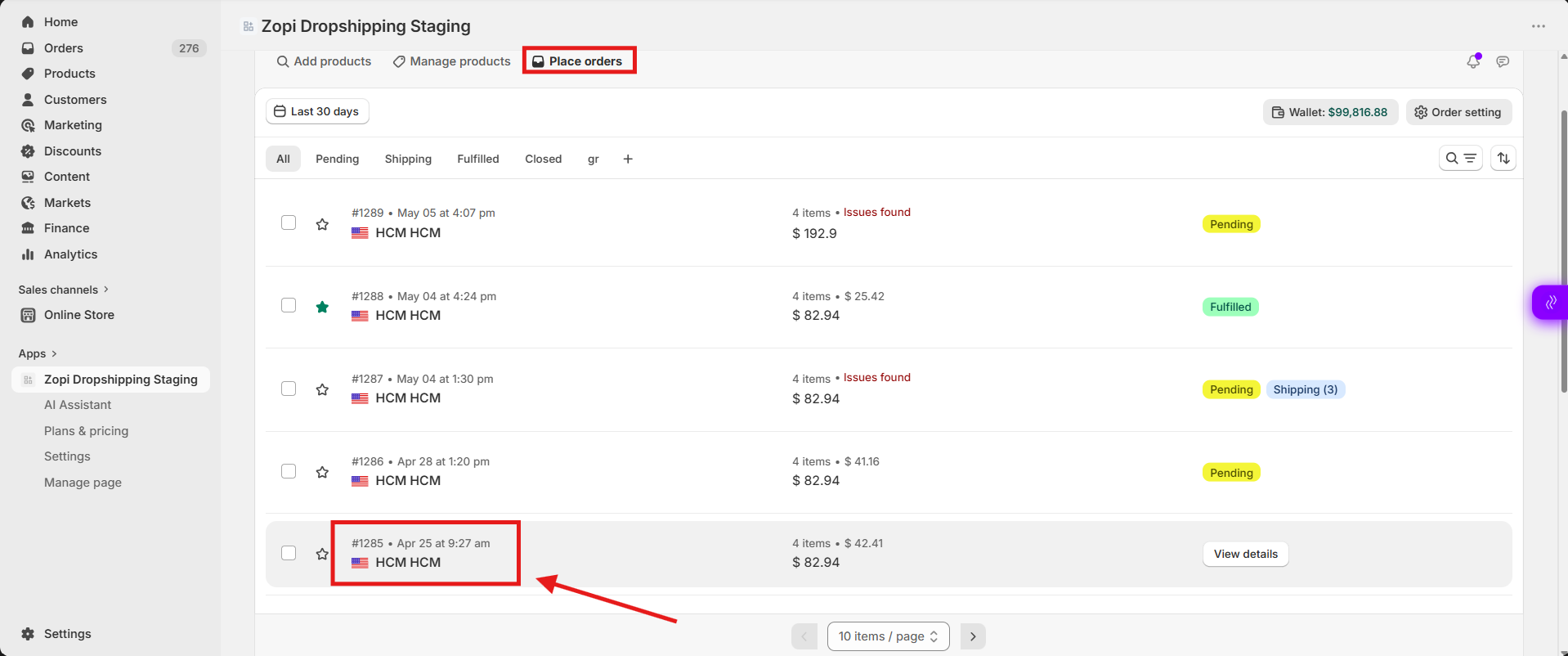
Follow these steps to track a specific order:

  1. Go to Zopi Dropshipping
  2. Navigate to Place Orders
  3. Find the order you want to track
  4. Click on the Order ID

2. View Shipping Status 

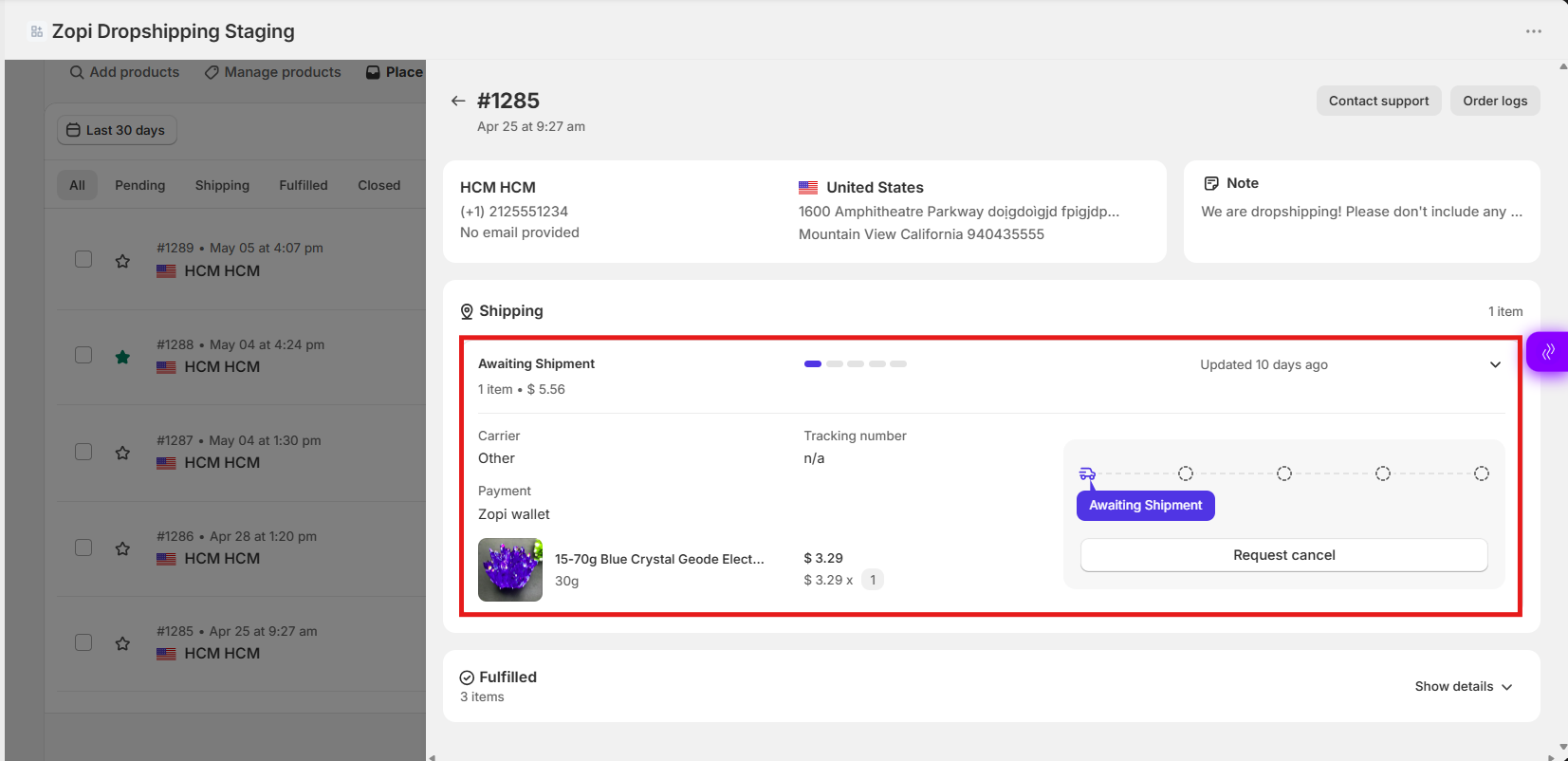
If the order is being shipped, you will see a Shipping section.

What You’ll See

    • Tracking number
    • Carrier (shipping provider)
  • Payment
  • Shipping status (e.g., In transit, Out for delivery)
3. Check Delivered Orders

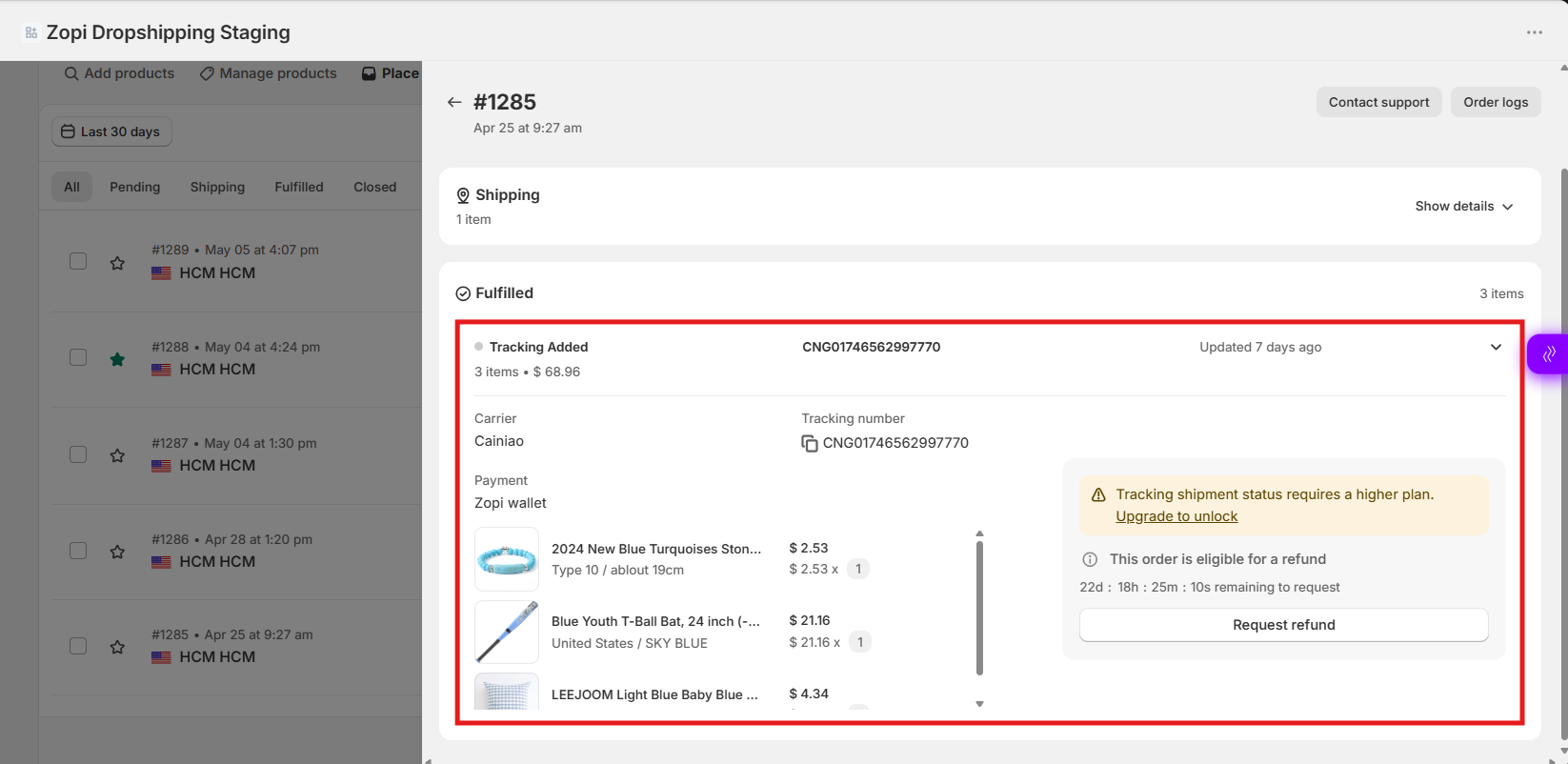
If the items have already been delivered, you’ll see the Fulfilled section

  1. Click the arrow icon (Show Details)
  2. Expand the product section
  3. View the products listed

Conclusion

Tracking orders in Zopi allows you to:

  • Monitor shipping progress
  • Check delivery status
  • Handle customer inquiries with accurate information

Once an order is fulfilled, you can easily track each item directly from the Place Orders section.

Need Help?

If you need assistance while using Zopi:

👉 Our team is available to help you resolve issues quickly and keep your orders running smoothly.

Related articles

Switch your AliExpress account

Zopi enables you to easily change your connected AliExpress account whenever needed. Please note that switching to a new AliExpress account will result in Zopi ceasing to sync order data between your previous and new accounts. How to Change Your AliExpress Account There are two effective methods to switch to a new AliExpress account. Follow…

What You Can Customize in Private Labeling

One of the biggest advantages of Private Labeling is full control over how your product looks and feels. Zopi offers extensive customization options so your product reflects your unique brand identity.   What is Customization in Private Labeling? Customization covers all brand-related elements, including: Product printing Brand labels Custom packaging Inserts or instruction cards Stickers,…

Set Up Notifications in Zopi

Keeping track of your supplier products and orders is essential for smooth operations. With the Zopi Notification feature, you can receive real-time updates about important information related to products, suppliers, and orders. Here’s what’s new in notifications as of March 25, 2024. A New Look User Interface The user interface (UI) has been redesigned for…

Subscribe
Notify of
guest

0 Comments
Inline Feedbacks
View all comments

Table of contents

What “Track Orders” Means in Zopi1. Access Order Tracking2. View Shipping Status What You’ll See3. Check Delivered OrdersConclusionNeed Help?

Related articles

How to Set Pricing Rules in Zopi

Pricing Rules help you automatically calculate your product prices based on supplier costs. This saves time and keeps your margins consistent across all products. 1. Access Pricing Rules Follow these steps to open the Pricing Rules settings: Go to Zopi Dropshipping Click Settings Open the Pricing Rules tab 2. Pricing Formula (Set Your Markup) This…

Zopi Extension New Updates 2025

Zopi Extension has recently undergone a significant update, enhancing your dropshipping experience. Here’s what’s new: A Fresh User Interface for Enhanced Usability This update introduces several UI/UX improvements designed to streamline your research journey and boost efficiency: The revamped UI is organized for improved usability, making your research process smoother. Quick access to on-site analysis…

The New Product Analysis feature

Are you eager to analyze a product’s potential but feel overwhelmed by the multitude of research tools available? Our new Product Analysis feature streamlines this process for you. Read on to learn how it works! What is Zopi – Product Hunter? Product Hunter is a powerful tool designed to monitor and evaluate essential product metrics,…

Share your thought