
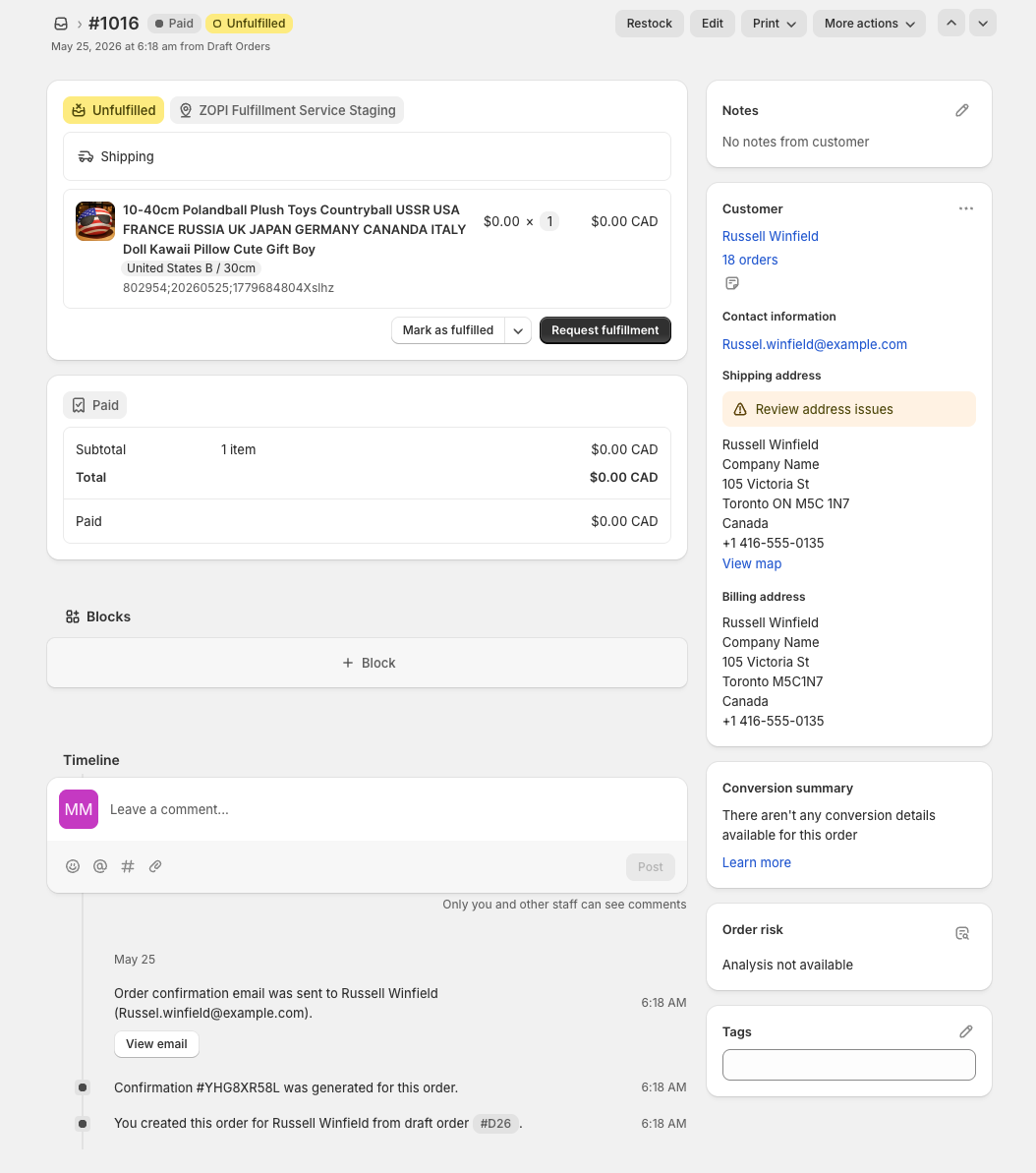
When a customer places an order on your Shopify store and you click Request fulfillment, Zopi automatically starts a smart fulfillment processing workflow.
This workflow helps:
- Process fulfillment requests automatically
- Meet Shopify fulfillment response requirements
- Reduce manual fulfillment operations
- Keep your store compliant with Shopify standards
👉 Zopi has up to 4 hours to respond to Shopify fulfillment requests.
The 3 Fulfillment Phases
Phase 1: Validation & Decision
When Shopify sends a fulfillment request, Zopi immediately checks:
- Has this request already been processed?
- Is the supplier order paid?
- Is the order fulfillable?
- Is tracking available?
Possible Outcomes
ACCEPTED
If all requirements are met:
- Zopi accepts the fulfillment request
- Fulfillment starts automatically
- Shopify order moves forward
HOLD
If the order is not ready yet:
- The order enters HOLD status
- Zopi waits for the missing requirements
Common reasons:
- Supplier order not paid
- Auto-pay failed
- Product unavailable
REJECTED
If the HOLD deadline expires:
- Shopify fulfillment request is rejected automatically
👉 This protects Shopify fulfillment SLA compliance.
Phase 2: HOLD Window
If the order enters HOLD status, Zopi temporarily pauses fulfillment while waiting for merchant action or missing fulfillment conditions to be completed.
Common HOLD reasons include:
- Waiting for supplier payment
- Waiting for fulfillment readiness
- Auto-pay failed
- Product temporarily unavailable
Understanding the HOLD Timeline
👉 In this workflow, T = the moment you click “Request fulfillment” on Shopify.
From that moment, Zopi starts counting the fulfillment response window required by Shopify.
Current HOLD timing flow:
T+0         → HOLD starts immediately after Request Fulfillment
T+0         → Reminder Email #1 sent
T+3h20m     → Final Warning Email sent
T+3h30m     → Automatic Reject on Shopify
Example:
- If you click Request fulfillment at 10:00 AM
- The order will be automatically rejected around 1:30 PM if unresolved
👉 Orders are automatically rejected after 3 hours 30 minutes to ensure Shopify fulfillment SLA compliance and protect app/store performance.
How Orders Move from HOLD to ACCEPTED
There are 2 automatic recovery methods.
Method 1: Real-Time Detection
As soon as supplier payment is completed:
- Zopi detects the update almost instantly
- The order is automatically accepted
👉 Usually happens within seconds.
Method 2: Automatic Recheck
Every 15 minutes:
- Zopi scans all HOLD orders again
- Eligible orders are automatically resumed
👉 This acts as a backup recovery mechanism.
Phase 3: Fulfillment Completion
After the order is accepted:
- Shopify fulfillment status changes to:
In progress- or
Accepted
- Zopi waits for the real carrier tracking code
Once tracking becomes available:
- Zopi updates Shopify automatically
- Shopify order moves to completed/closed status
- Customers receive shipment tracking
Automatic Email Notification System
Zopi now uses a simplified fulfillment email system with fewer but more important notifications.
ORDER_READY_TO_PAY
Sent when:
- Order enters HOLD
- Auto-pay is disabled
Purpose:
- Remind merchant to complete supplier payment
AUTOMATION_FAILED
Sent when:
- Auto-pay is enabled
- Automatic payment failed
Purpose:
- Explain payment failure reason
Examples:
- Card declined
- Supplier issue
- Payment processing failure
FINAL_CALL
Sent at:
- T+3h20m
Purpose:
- Final warning before rejection
👉 Merchant has about 10 minutes remaining.
REJECTED
Sent after:
- HOLD deadline expires
Purpose:
- Notify merchant the fulfillment request was rejected
PAYMENT_SUCCESS
Sent when:
- HOLD order becomes successfully accepted
Purpose:
- Confirm payment and fulfillment processing
Cancellation Workflow
When a cancellation request is sent from Shopify:
👉 Zopi always prioritizes responding quickly to Shopify.
Policy:
- Cancellation requests are automatically accepted within Shopify SLA requirements
Why Does Zopi Always Accept Cancellation Requests?
This helps:
- Protect app performance metrics
- Maintain Shopify compliance
- Prevent fulfillment SLA violations
If the supplier already shipped the order:
- Zopi support and operations teams will handle the issue separately afterward
Best Practices
- Pay supplier orders quickly
- Monitor HOLD orders regularly
- Enable automation carefully
- Review failed payment emails immediately
- Avoid waiting until FINAL_CALL notifications
👉 Faster merchant action helps reduce rejected fulfillment requests.
Need Help?
If you need assistance while using Zopi:
- Contact our support team via Live Chat inside Zopi
- Visit the Zopi Help Center for more guides
- Join the Zopi Community to ask questions and learn from other users
👉 Our team is available to help you resolve issues quickly and keep your orders running smoothly.