
Tracking orders in Zopi helps you monitor shipping progress after fulfillment. This allows you to stay updated on delivery status and support your customers effectively.
What “Track Orders” Means in Zopi
In Zopi, tracking refers to monitoring orders that have already been fulfilled and shipped.
- ✅ Includes:
- Orders with tracking numbers
- Orders that are in transit or delivered
- ❌ Does NOT include:
- Pending orders
- Orders not yet placed with suppliers
1. Access Order Tracking
Follow these steps to track a specific order:
- Go to Zopi Dropshipping
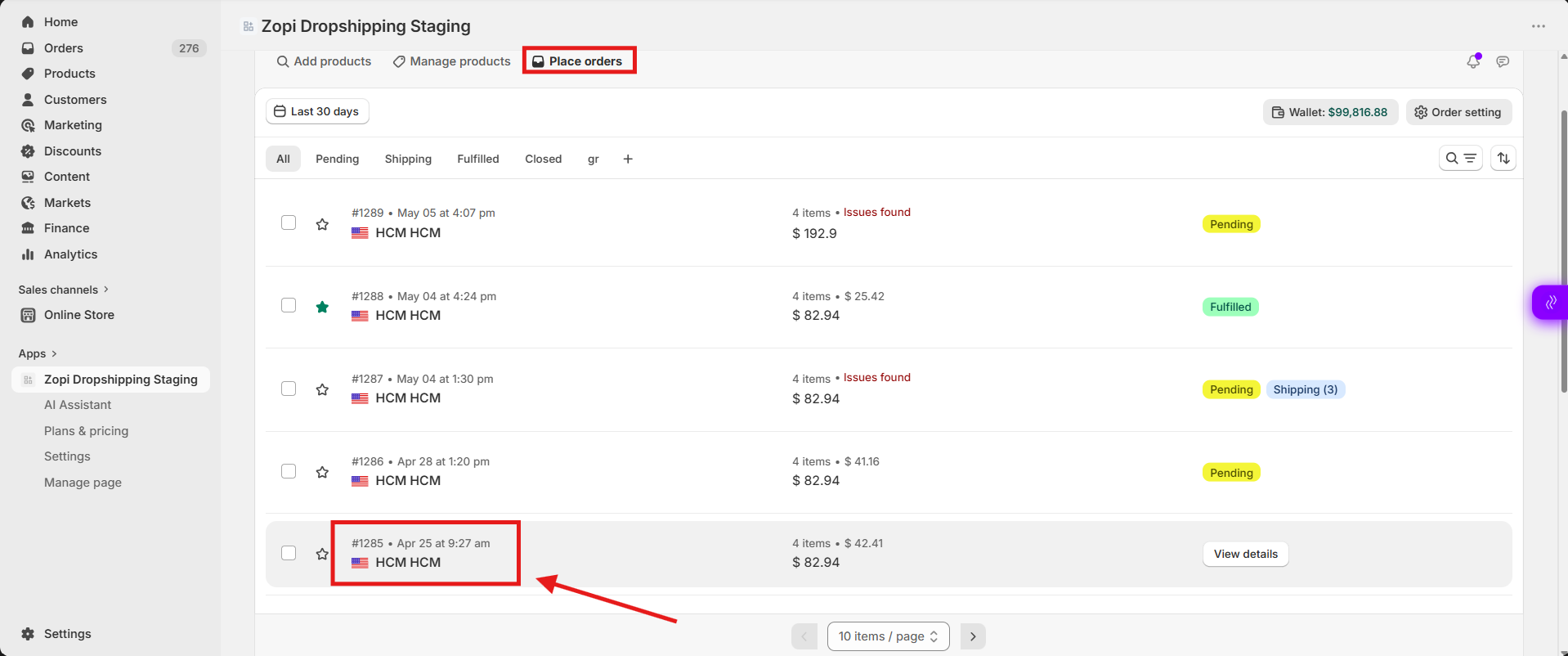
- Navigate to Place Orders
- Find the order you want to track
- Click on the Order ID
2. View Shipping Status
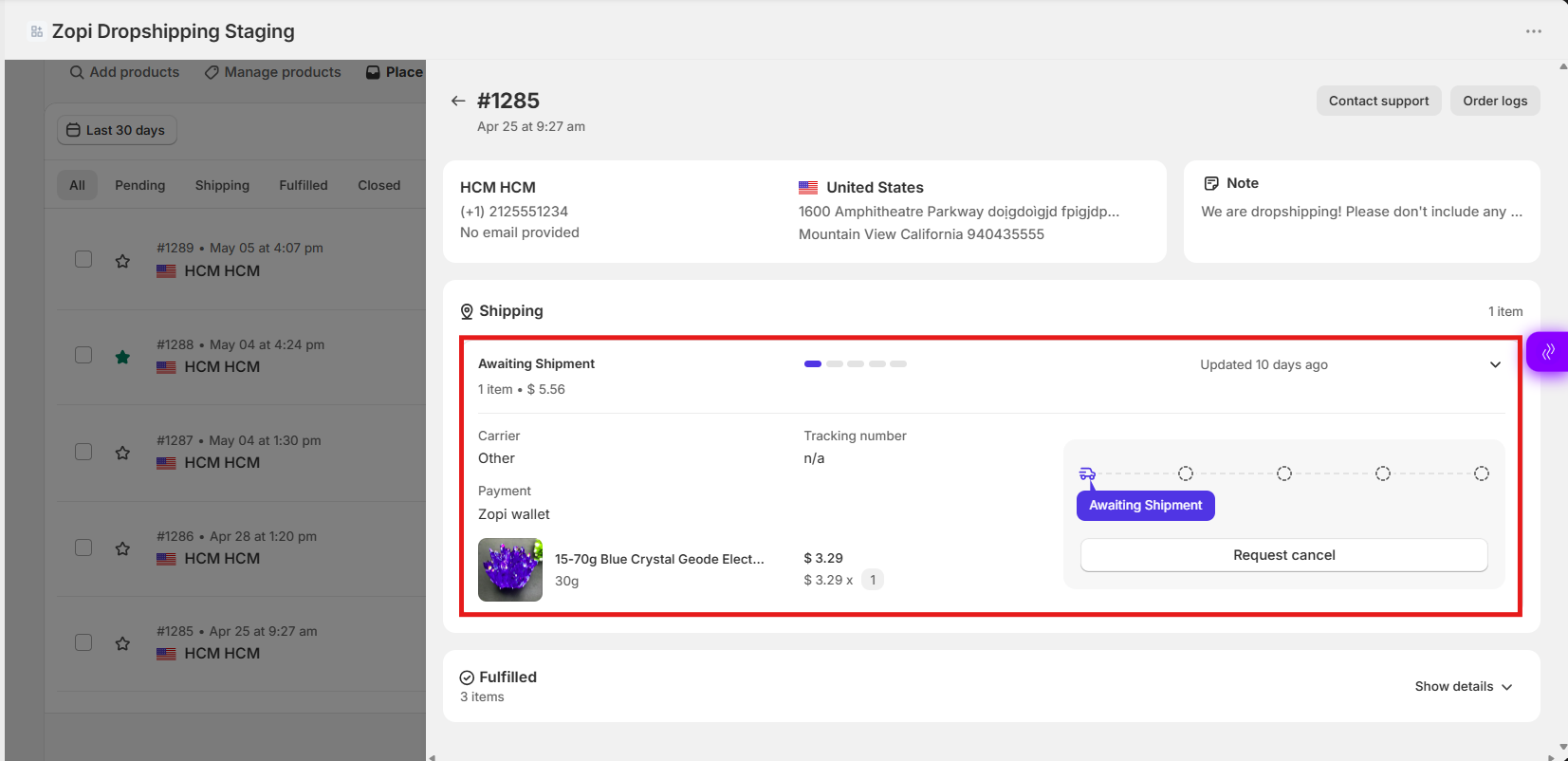
If the order is being shipped, you will see a Shipping section.
What You’ll See
-
- Tracking number
- Carrier (shipping provider)
- Payment
- Shipping status (e.g., In transit, Out for delivery)
3. Check Delivered Orders
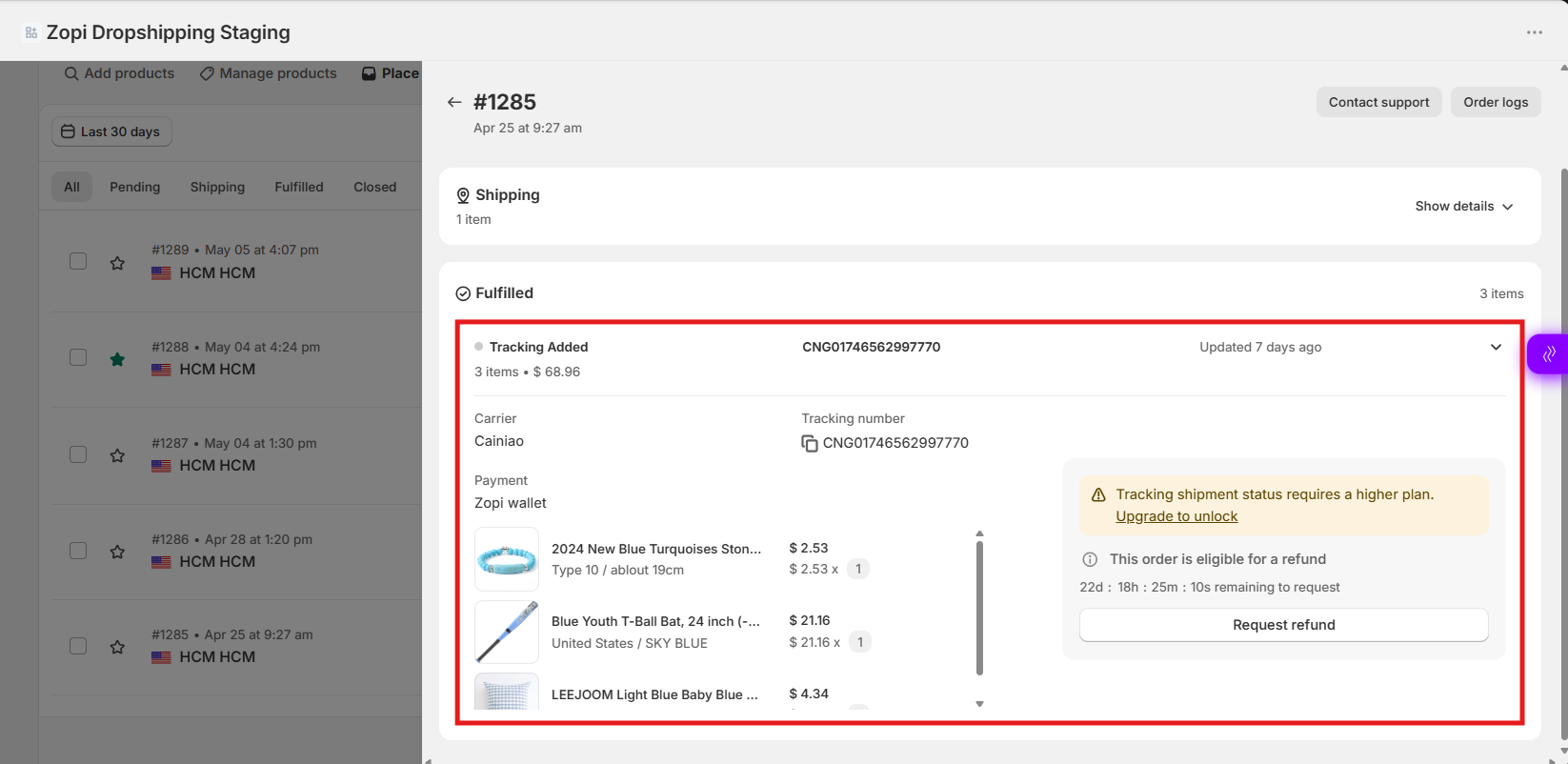
If the items have already been delivered, you’ll see the Fulfilled section
- Click the arrow icon (Show Details)
- Expand the product section
- View the products listed
Conclusion
Tracking orders in Zopi allows you to:
- Monitor shipping progress
- Check delivery status
- Handle customer inquiries with accurate information
Once an order is fulfilled, you can easily track each item directly from the Place Orders section.
Need Help?
If you need assistance while using Zopi:
- Contact our support team via Live Chat inside Zopi
- Visit the Zopi Help Center for more guides
- Join the Zopi Community to ask questions and learn from other users
👉 Our team is available to help you resolve issues quickly and keep your orders running smoothly.