What is Zopi? - All-in-one Dropshipping solution

Ads Library: Discover Winning Products Through Real Ads

Update on: 27/01/2026

Table of contents

What is Ads Library?What You Can Do with Ads LibraryHow to Use Ads Library in ZopiHow to Read Ad Detail

Finding winning products often starts with understanding what’s already working in the market.
Ads Library in Zopi helps you explore real ads from active online stores so you can see exactly what other sellers are promoting — right now.

Instead of guessing or blindly testing products, Ads Library lets you learn directly from live advertising data and build smarter product and ad strategies.

What is Ads Library?

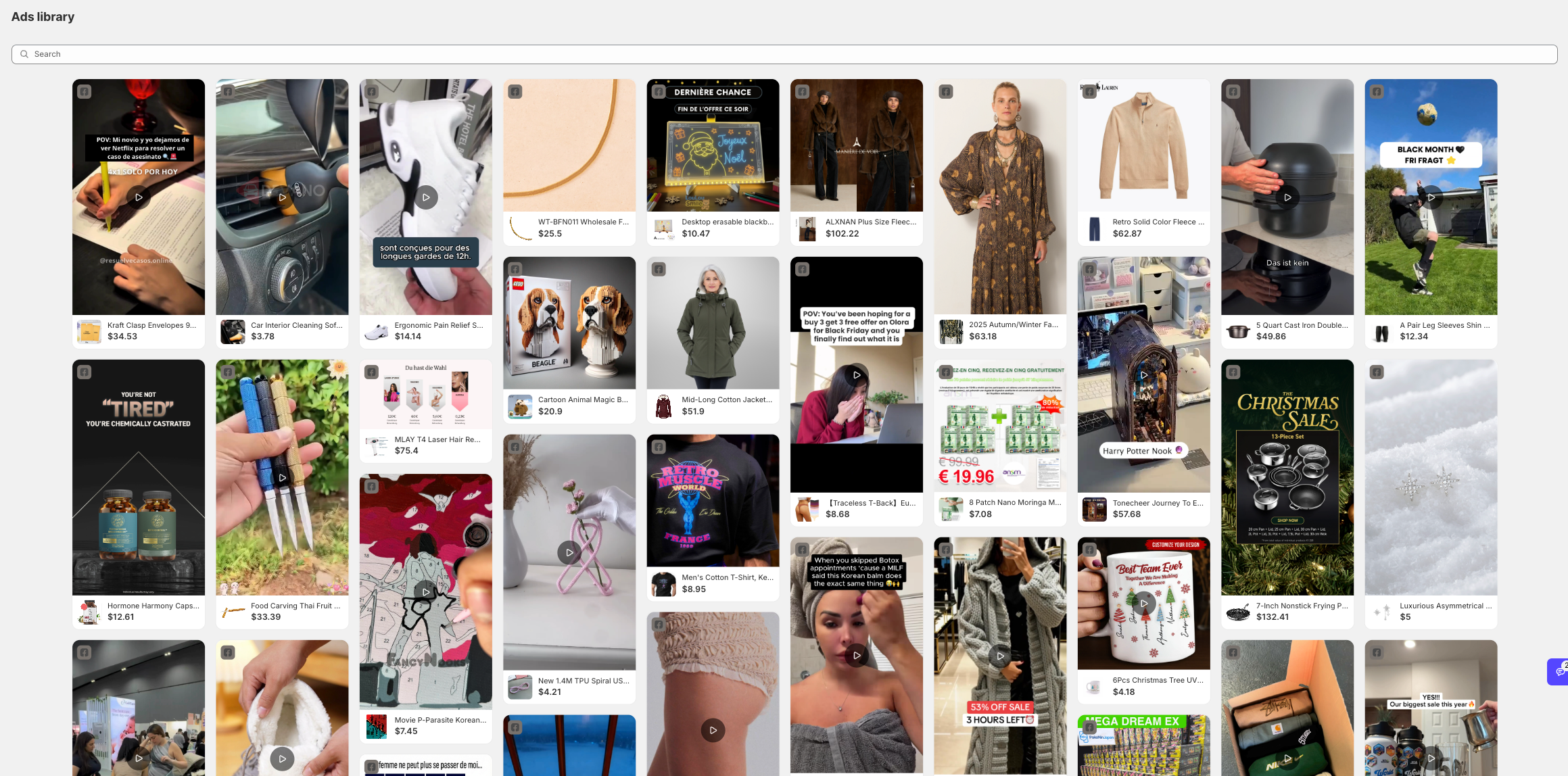
Ads Library in Zopi lets you explore real ads from active online stores across multiple platforms. Instead of guessing what might sell, you can see what sellers are actually running ads for right now.

This feature helps you validate product ideas faster by learning directly from live advertising data.

What You Can Do with Ads Library

With Ads Library, you can:

  • Discover products that are actively being advertised

  • See how sellers position, price, and present their products

  • Learn which ad formats and creatives are currently working

  • Avoid blind testing and reduce failed ad spend
How to Use Ads Library in Zopi

To start exploring ads:

  1. Go to Product Research → Ads Library

  2. Browse or search for products by niche or keyword

  3. Click on any ad to open Ad Detail

How to Read Ad Detail

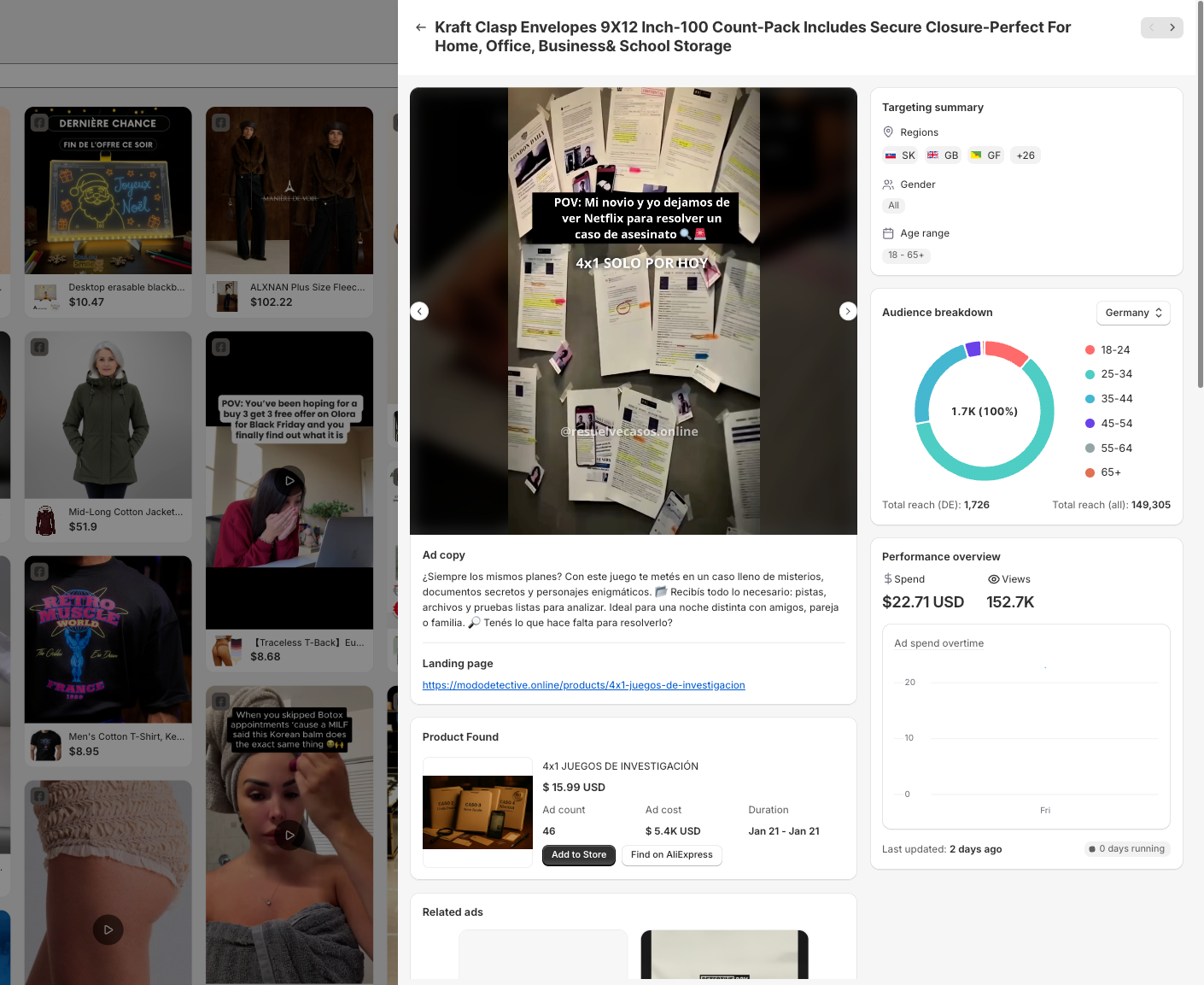
Inside an ad detail view, you can quickly understand:

  • Ad performance (views, engagement, spend)

  • Targeting data (regions, age range, gender)

  • Landing page link used by the advertiser

  • Product source and similar ads

👉 Use this data to decide whether a product is worth testing — or to improve your own ad creatives.

Related articles

Link Zopi with your AliExpress account

To efficiently place orders on AliExpress and synchronize product and order data, you need to link your Zopi account with your AliExpress account. Method 1: In the Account Menu Steps to Connect Your AliExpress Account via the Account Menu Log in to Zopi. Navigate to the Settings & Billing page and select Account. Locate the…

Zopi Extension New Updates 2025

Zopi Extension has recently undergone a significant update, enhancing your dropshipping experience. Here’s what’s new: A Fresh User Interface for Enhanced Usability This update introduces several UI/UX improvements designed to streamline your research journey and boost efficiency: The revamped UI is organized for improved usability, making your research process smoother. Quick access to on-site analysis…

Switch your AliExpress account

Zopi enables you to easily change your connected AliExpress account whenever needed. Please note that switching to a new AliExpress account will result in Zopi ceasing to sync order data between your previous and new accounts. How to Change Your AliExpress Account There are two effective methods to switch to a new AliExpress account. Follow…

Subscribe
Notify of
guest

0 Comments
Inline Feedbacks
View all comments

Table of contents

What is Ads Library?What You Can Do with Ads LibraryHow to Use Ads Library in ZopiHow to Read Ad Detail

Related articles

Zopi Extension New Updates 2025

Zopi Extension has recently undergone a significant update, enhancing your dropshipping experience. Here’s what’s new: A Fresh User Interface for Enhanced Usability This update introduces several UI/UX improvements designed to streamline your research journey and boost efficiency: The revamped UI is organized for improved usability, making your research process smoother. Quick access to on-site analysis…

Beginner’s Guide to POD in Zopi

Starting an e-commerce business can be daunting, especially when it comes to managing inventory and upfront costs. However, with Print-on-Demand (POD), you can launch a branded online store effortlessly. Zopi’s POD feature allows you to design custom products, add them directly to your store, and fulfill orders automatically through our print partners. This guide will…

Switch your AliExpress account

Zopi enables you to easily change your connected AliExpress account whenever needed. Please note that switching to a new AliExpress account will result in Zopi ceasing to sync order data between your previous and new accounts. How to Change Your AliExpress Account There are two effective methods to switch to a new AliExpress account. Follow…

Share your thought