
If you see the message “Request rejected. Please complete your payment in the Zopi Order Center and try again.”, this means the order could not be fulfilled because it was triggered incorrectly from Shopify instead of Zopi. This error is common among new dropshippers who are still learning how automated fulfillment works.
This guide explains why the error appears and shows you how to correctly process your order through Zopi so your supplier can receive the payment and ship the package successfully.
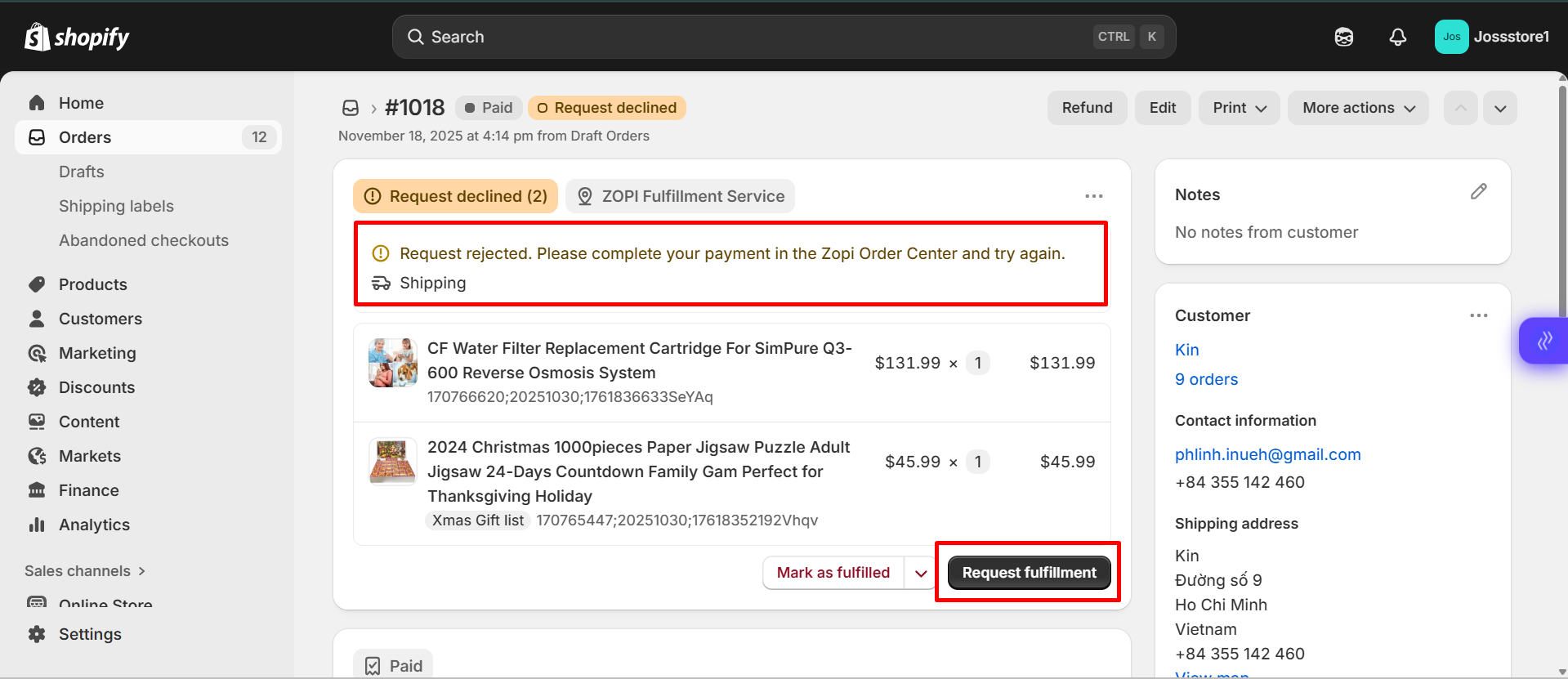
Why the “Fulfillment Is Rejected” Error Happens
This error usually appears when merchants click “Request fulfillment” directly inside the Shopify Order page, which Shopify interprets as a request to fulfill the order outside of Zopi.
To help you understand the cause clearly, below are the main reasons why the system rejects the request:
- Shopify does not send the order to the supplier
The “Request fulfillment” button only updates Shopify’s internal fulfillment status — it does not place the order with AliExpress/Temu/eBay/Amazon. - Zopi cannot detect supplier payment
When the order is not processed from the Zopi Order Center, the supplier never receives payment, so fulfillment cannot start. - The system displays the rejection message to notify you
The message “Please complete your payment in the Zopi Order Center” is meant to guide you to the correct workflow.
How to Fix It
You can resolve this error immediately by fulfilling the order correctly inside the Zopi app.
To fix:
- Open the Zopi app
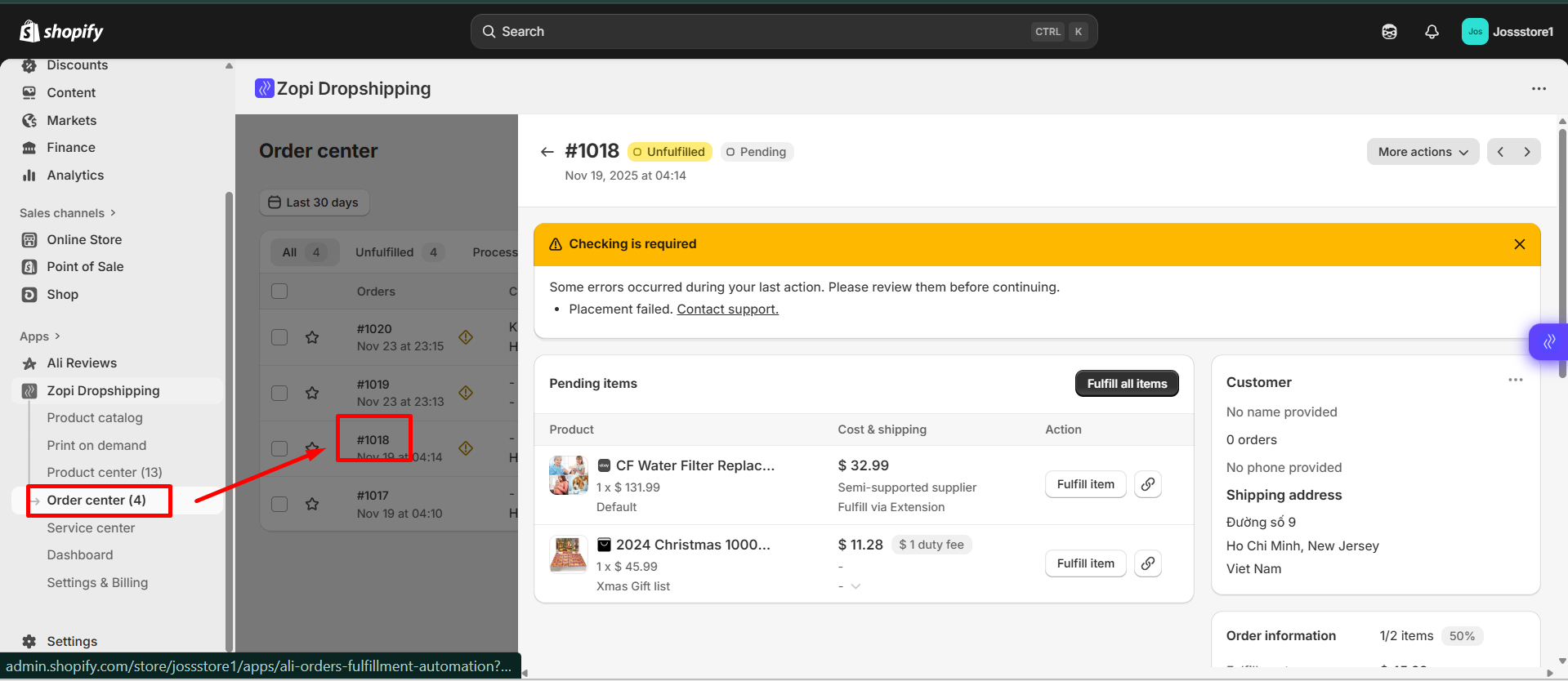
- Go to Order Center
- Click Fulfill Item
- Click Make Payment — Zopi will redirect you to the supplier checkout page
- Complete the payment with your supplier
Once paid, the order will update normally and tracking will sync automatically.
For the full step-by-step fulfillment guide, see:
👉 How to Fulfill Orders in Zopi
How to Avoid This Error in the Future
Understanding the correct workflow helps prevent fulfillment interruptions. Here are tips to avoid the error:
- Always fulfill orders inside the Zopi Order Center, not Shopify
- Do not click “Request fulfillment” on the Shopify Order page
- Make sure you are logged in to your supplier account in the same browser
Regularly sync products and mapping to prevent mismatches
Related Resources
To help you manage your orders more efficiently, check out our guide on
How Zopi Automates Order Fulfillment.